
Grok Video
Grok Video is xAI's powerful video generation suite featuring three modes: text-to-video, image-to-video, and video editing. All modes support audio generation.
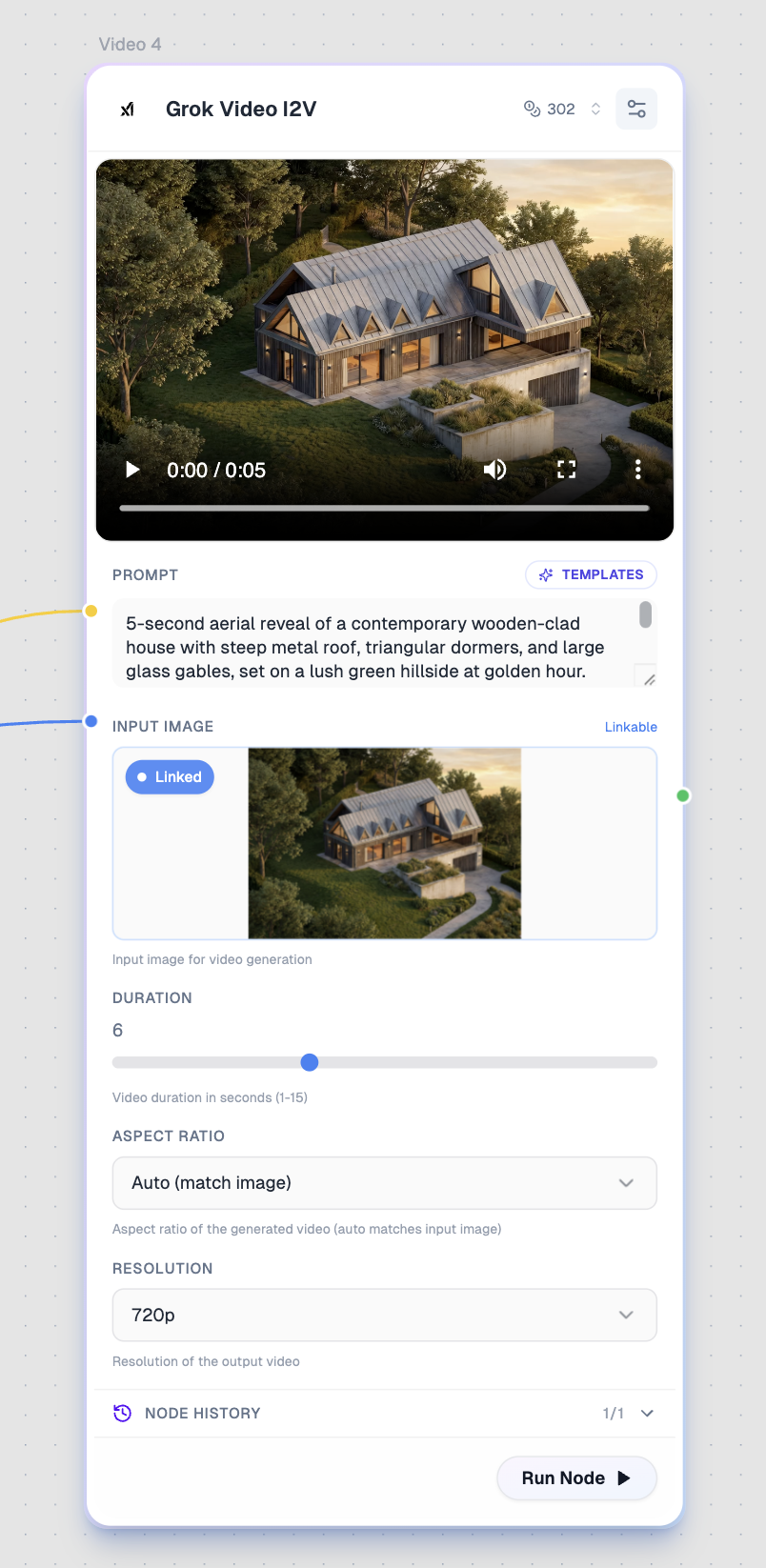
Overview
| Property | Value |
|---|---|
| Provider | xAI |
| Models | T2V, I2V, Edit |
| Modality | Video |
| Duration | 1-15 seconds (T2V/I2V), up to 8s (Edit) |
| Resolution | 480p, 720p |
| Prompt Required | Yes |
Available Models
Grok Video T2V (Text-to-Video)
Generate videos with audio from text descriptions.
| Property | Value |
|---|---|
| Cost | 50-750 credits (varies by duration) |
| Base Cost | 50 credits per second |
Grok Video I2V (Image-to-Video)
Animate images into videos with audio.
| Property | Value |
|---|---|
| Cost | 52-752 credits (varies by duration) |
| Base Cost | 50 credits per second + 2 credits for image |
Grok Video Edit
Edit existing videos using text descriptions.
| Property | Value |
|---|---|
| Cost | 360 credits |
| Max Input | 8 seconds |
What It's Best For
- Quick video generation — Fast turnaround times
- Audio included — Native audio generation
- Image animation — Bring still images to life
- Video editing — Transform and colorize videos
- Flexible duration — 1-15 seconds for T2V/I2V
Inputs
Prompt (Required)
Describe the video scene, action, or edit.
Connection Color: Yellow
Input Image (I2V only)
Image to animate into a video.
Connection Color: Blue
Input Video (Edit only)
Video to edit and transform.
Connection Color: Green
Configuration
Duration (T2V & I2V)
Type: Slider
Range: 1-15 seconds
Default: 6
Video duration. Cost scales with duration.
Aspect Ratio (T2V & I2V)
Type: Select
Default: 16:9 (T2V), Auto (I2V)
| Option | Description |
|---|---|
| 16:9 | Landscape |
| 9:16 | Portrait |
| 1:1 | Square |
| 4:3 | Classic |
| 3:4 | Portrait classic |
| 3:2 | Photo landscape |
| 2:3 | Photo portrait |
| Auto | Match input image (I2V only) |
Resolution
Type: Select
Default: 720p
| Option | Description |
|---|---|
| 480p | Faster, lower quality |
| 720p | Standard HD quality |
| Auto | Match input (Edit only) |
Output
Type: Video with audio
Connection Color: Green
Use Cases
Text-to-Video
Anime schoolgirl bursting out of house door,
cherry blossoms blowing, morning light,
speed lines indicating rush,
classic shojo aesthetic, vibrant colors.
Image-to-Video
Medieval knight in ornate armor walking through
a mystical forest, bioluminescent plants pulsing
with light, ancient stone ruins overgrown with
glowing vines, dark fantasy aesthetic.
Video Editing
Colorize this black and white footage,
add warm golden hour lighting,
enhance the contrast for a cinematic look.
Tips for Best Results
- Be descriptive — Include camera movements and lighting
- Use I2V for consistency — Start with an image for better character control
- Edit creatively — Transform old footage into new styles
- Optimize duration — Longer videos cost more, start short
- Match aspect ratios — Use Auto for I2V to preserve image proportions
Pricing Details
| Duration | T2V Cost | I2V Cost |
|---|---|---|
| 1 second | 50 | 52 |
| 6 seconds | 300 | 302 |
| 10 seconds | 500 | 502 |
| 15 seconds | 750 | 752 |
Edit video: Fixed 360 credits for up to 8 seconds.
Comparison
| Feature | Grok Video | Kling 2.6 Pro | Veo 3.1 |
|---|---|---|---|
| Text-to-Video | Yes | Yes | Yes |
| Image-to-Video | Yes | Yes | Yes |
| Video Editing | Yes | No | No |
| Audio | Yes | Yes | Yes |
| Max Duration | 15s | 10s | 8s |
| Base Cost (6s) | 300 | 1,200 | 4,000 |
Related Models
- Kling 2.6 Pro — Motion control specialist
- Veo 3.1 — Google's premium option
- Grok 2 Image — xAI's image generation