
Video Nodes
Video nodes bring motion to your creative work. Generate videos from text descriptions or animate still images using AI.
What Are Video Nodes?
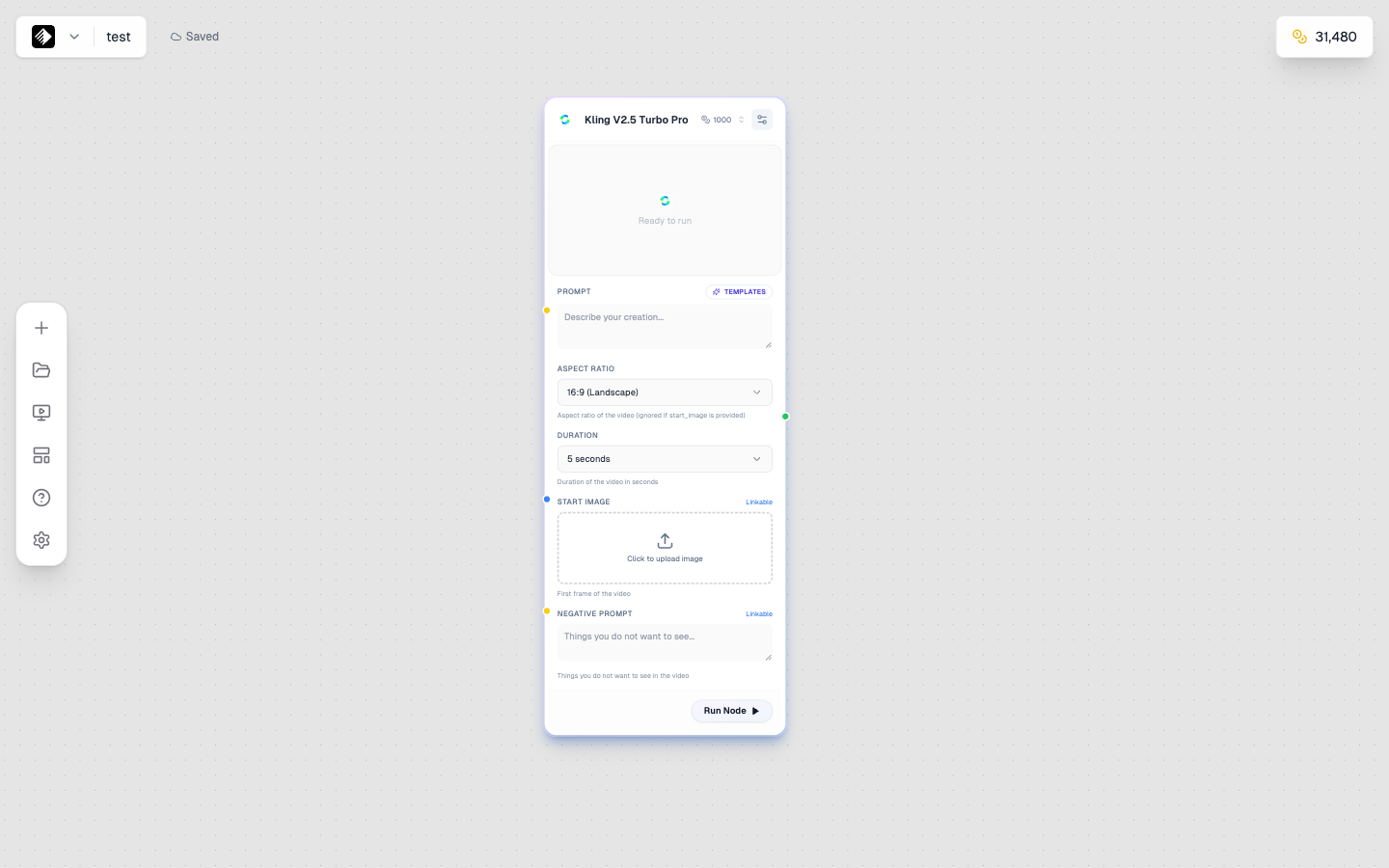
A Video node using Kling V2.5 Turbo Pro for high-quality video generation.
Video nodes generate AI videos. They can:
- 📝 Text-to-video — Describe a scene, get a video
- 🖼️ Image-to-video — Animate a still image
- 🎬 Control motion — Specify camera movement and actions
Adding a Video Node
- Open the node sidebar on the left
- Find Video in the list
- Drag it onto your canvas
Video Node Inputs
| Input | Type | Required | Purpose |
|---|---|---|---|
| Prompt | Text (yellow) | Yes | Describes the video content |
| Reference Image | Image (blue) | No | Starting frame for I2V |
| Reference Video | Video (purple) | No | Style or motion reference |
| Audio | Audio (orange) | No | Some models accept audio |
Video Models
Quick & Affordable
| Model | Credits | Duration | Best For |
|---|---|---|---|
| Wan 2.5 T2V Fast | 60 | 5s | Quick tests |
| Wan 2.5 I2V Fast | 60 | 5s | Fast image animation |
| Seedance 1 Lite | 300 | 5s | Short clips |
Standard Quality
| Model | Credits | Duration | Best For |
|---|---|---|---|
| Seedance 1 Pro Fast | 500 | 5-10s | Faster pro quality |
| Hailuo 2.3 Fast | 600 | 5s | Quick smooth motion |
| Wan 2.5 T2V | 100 | 5s | Standard text-to-video |
| Wan 2.5 I2V | 100 | 5s | Standard image-to-video |
High Quality
| Model | Credits | Duration | Best For |
|---|---|---|---|
| Kling V2.5 Turbo Pro | 1,000 | 5-10s | High quality |
| Wan 2.6 T2V | 1,000 | 5-10s | Detailed motion |
| Wan 2.6 I2V | 1,000 | 5-10s | Quality animation |
| Hailuo 2.3 | 1,120 | 5-10s | Smooth motion |
| Kling 2.6 Pro | 1,200 | 5-10s | Premium quality |
Premium Quality
| Model | Credits | Duration | Best For |
|---|---|---|---|
| Veo 3.1 Fast | 1,500 | 5-10s | Google fast quality |
| Sora 2 | 2,000 | 10-20s | OpenAI quality |
| Veo 3.1 | 4,000 | 10-20s | Highest quality |
| Sora 2 Pro | 4,000 | 10-20s | Premium OpenAI |
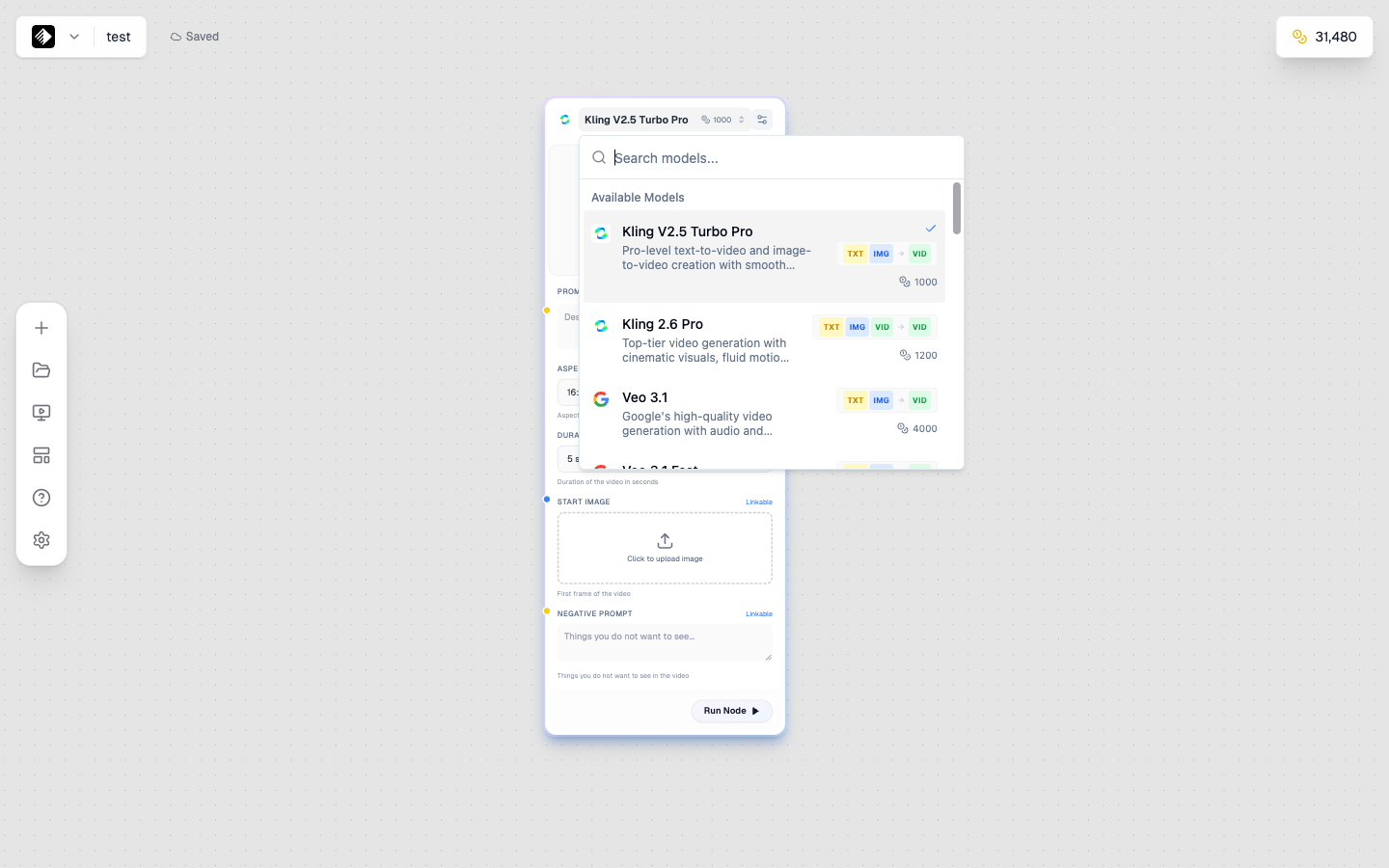
The model selector showing all available video AI models.
Text-to-Video Workflow
Generate video entirely from a text description:
Prompt Template
[Text Node] → [Video Node]
Video prompt → Generated video
Example
- Add a Text Node
- Write a video prompt:
A butterfly lands gently on a flower, wings slowly opening and closing, soft morning light, macro photography - Add a Video Node
- Connect Text → Video
- Select model (start with Wan 2.5 Fast for testing)
- Click Run
Image-to-Video Workflow
Animate a still image:
Prompt Template
[Upload/Image Node] → [Video Node]
Starting image → Animated video
Example
- Add an Upload Node with your image
- Add a Video Node
- Connect Upload → Video (image input)
- Add a Text Node describing the motion:
The woman slowly turns her head, hair gently moving in the breeze, soft smile forming - Connect Text → Video (prompt input)
- Run to generate
Benefits of I2V
- ✅ Consistent subject appearance
- ✅ Control over starting frame
- ✅ Better for product animations
- ✅ Use your own images/artwork
Video Node Settings
Duration
Control video length:
| Duration | Use Case |
|---|---|
| 5 seconds | Social media clips, loops |
| 10 seconds | Short content, transitions |
| 15-20 seconds | Longer narratives (premium models) |
Resolution
Output quality:
| Resolution | Best For |
|---|---|
| 720p | Quick previews, social media |
| 1080p | Standard quality, most uses |
| 4K | High-end production (if available) |
FPS (Frames Per Second)
Motion smoothness:
| FPS | Effect |
|---|---|
| 24 | Cinematic, film-like |
| 30 | Standard video |
| 60 | Smooth, modern look |
Additional Settings
| Setting | Description |
|---|---|
| Seed | For reproducible results |
| Motion Amount | How much movement (some models) |
| Camera Motion | Preset camera movements (some models) |
Writing Video Prompts
Video prompts need to describe motion over time:
Key Elements
- Subject — What's in the video
- Action — What happens
- Camera — How the camera moves
- Mood — Atmosphere and style
Example Prompt Structure
Prompt Template
[Subject] [action/motion],
[camera movement],
[setting/environment],
[style/mood]
Good Video Prompt
A coffee cup on a wooden table,
steam rising and swirling gently,
camera slowly pushing in,
cozy morning light,
cinematic and peaceful
See Also
- Video Prompting Guide for detailed techniques
Processing Time
Video generation takes longer than images:
| Model Type | Typical Time |
|---|---|
| Fast models | 30 seconds - 2 minutes |
| Standard models | 2-5 minutes |
| Premium models | 5-10+ minutes |
💡 Tip: Start with fast models for testing, upgrade to premium for final output.
Viewing and Downloading
When generation completes:
- Video player appears in the node
- Click play to preview
- Download button to save locally
- Video is auto-saved to your Gallery
Chaining Video Nodes
Connect video outputs to other nodes:
Video → Tool
Prompt Template
[Video Node] → [Video Tool]
Generated video → Processed video
Video → Video
Prompt Template
[Video Node 1] → [Video Node 2]
First video → Extended/modified video
Tips for Better Videos
Prompt Tips
- Describe motion explicitly
- Include camera movement
- Keep actions simple and clear
- See Video Prompting
Model Selection Strategy
- Test with fast models — Wan 2.5 Fast (60 credits)
- Refine your prompt — Iterate cheaply
- Upgrade for quality — Kling, Veo, or Sora for finals
Quality Tips
- Simple motions work better than complex
- Use I2V for consistent subjects
- Match prompt to model strengths
- Consider adding audio separately
Common Issues
Video Doesn't Match Prompt
- Simplify the motion description
- Be more explicit about camera movement
- Try a different model
- Use I2V for more control
Motion Looks Unnatural
- Reduce motion complexity
- Use smoother motion keywords ("gently," "slowly")
- Try a higher-quality model
- Check if the prompt has conflicting motions
Subject Changes During Video
- Use I2V with a clear starting image
- Keep the subject description consistent
- Use models known for consistency (Kling, Veo)
Video Too Short
- Check model's maximum duration
- Use premium models for longer videos
- Consider generating multiple clips
Use Case Examples
Product Animation
Luxury perfume bottle rotating slowly on reflective surface,
camera orbiting smoothly,
dramatic lighting with soft reflections,
commercial quality
Social Media Content
Hands holding a coffee cup, steam rising,
cozy cafe background slightly blurred,
warm morning light,
lifestyle video, vertical format
Abstract/Artistic
Colorful ink drops falling into water,
swirling and mixing in slow motion,
macro photography,
mesmerizing and meditative
Next Steps
- Audio Nodes — Add sound to your videos
- Video Prompting — Master video prompts
- Video Production Workflow — Complete video creation