
Welcome to Armox Academy
Welcome to Armox Academy—your comprehensive learning resource for mastering AI-powered creative content generation. Whether you're a designer, marketer, content creator, or entrepreneur, this guide will help you unlock the full potential of Armox.
What is Armox?
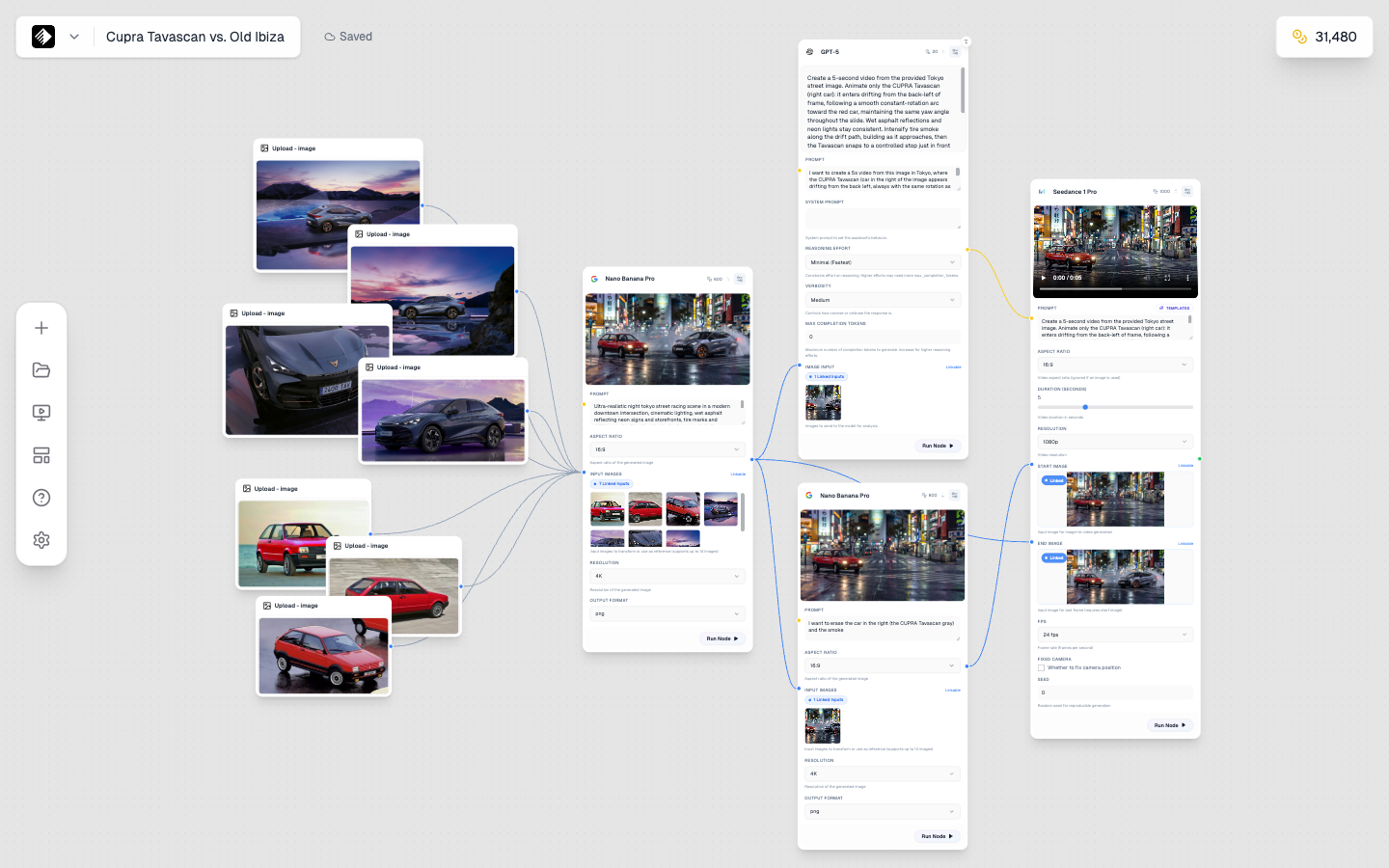
A complete workflow in the Armox Canvas: Multiple upload nodes, AI image generation, text generation, and video creation all connected together.
Armox is a powerful AI content creation platform that helps you generate stunning images, videos, audio, and more using cutting-edge AI models. Think of it as your creative AI studio—a place where you can bring your ideas to life without needing technical expertise.
With Armox, you can:
- 🎨 Generate images — Product photos, marketing visuals, social media content
- 🎬 Create videos — Animated content, video ads, motion graphics
- 🎵 Produce audio — Background music, voiceovers, sound effects
- 🔄 Build workflows — Automate repetitive creative tasks
- 📱 Create Apps — Turn workflows into reusable tools
Who is This Academy For?
This Academy is designed for creative professionals who want to leverage AI in their work:
- Designers looking to speed up their creative process
- Marketers who need to produce content at scale
- Content creators building for social media
- Entrepreneurs creating brand assets
- Anyone curious about AI-powered creativity
No coding or technical skills required. We've designed Armox and this Academy with non-technical users in mind.
What You'll Learn
🚀 Getting Started
Learn the basics—creating your first Brain, understanding credits, and generating your first AI content.
🧠 Core Concepts
Understand how Armox works: Brains, Nodes, AI Models, the Canvas Editor, and Prompt Engineering.
🎨 The Canvas
Master the visual workflow editor where you connect nodes to create powerful content generation pipelines.
📱 Creating Apps
Transform your Canvas workflows into reusable Apps that you can run with a single click.
📁 Asset Management
Organize, search, and export all your AI-generated content from the Gallery.
💬 AI Chat
Use conversational AI to brainstorm ideas, write copy, and refine your creative concepts.
🎯 Creative Workflows
Step-by-step guides for common use cases: social media content, product photography, marketing campaigns, and more.
⚡ Advanced Techniques
Level up with multi-step workflows, image-to-image techniques, and maintaining visual consistency.
How to Use This Academy
-
Start with the basics — If you're new, begin with the Quickstart Guide to get up and running quickly.
-
Learn core concepts — Understand Brains, Nodes, and AI Models before diving deeper.
-
Follow the workflows — Check out our Creative Workflows section for practical, real-world examples.
-
Reference as needed — Bookmark specific pages and return when you need guidance on particular features.
Key Concepts Preview
🧠 Brains
A Brain represents your brand or project. It stores your brand voice, style preferences, and all generated content. Think of it as a "project folder" with AI superpowers.
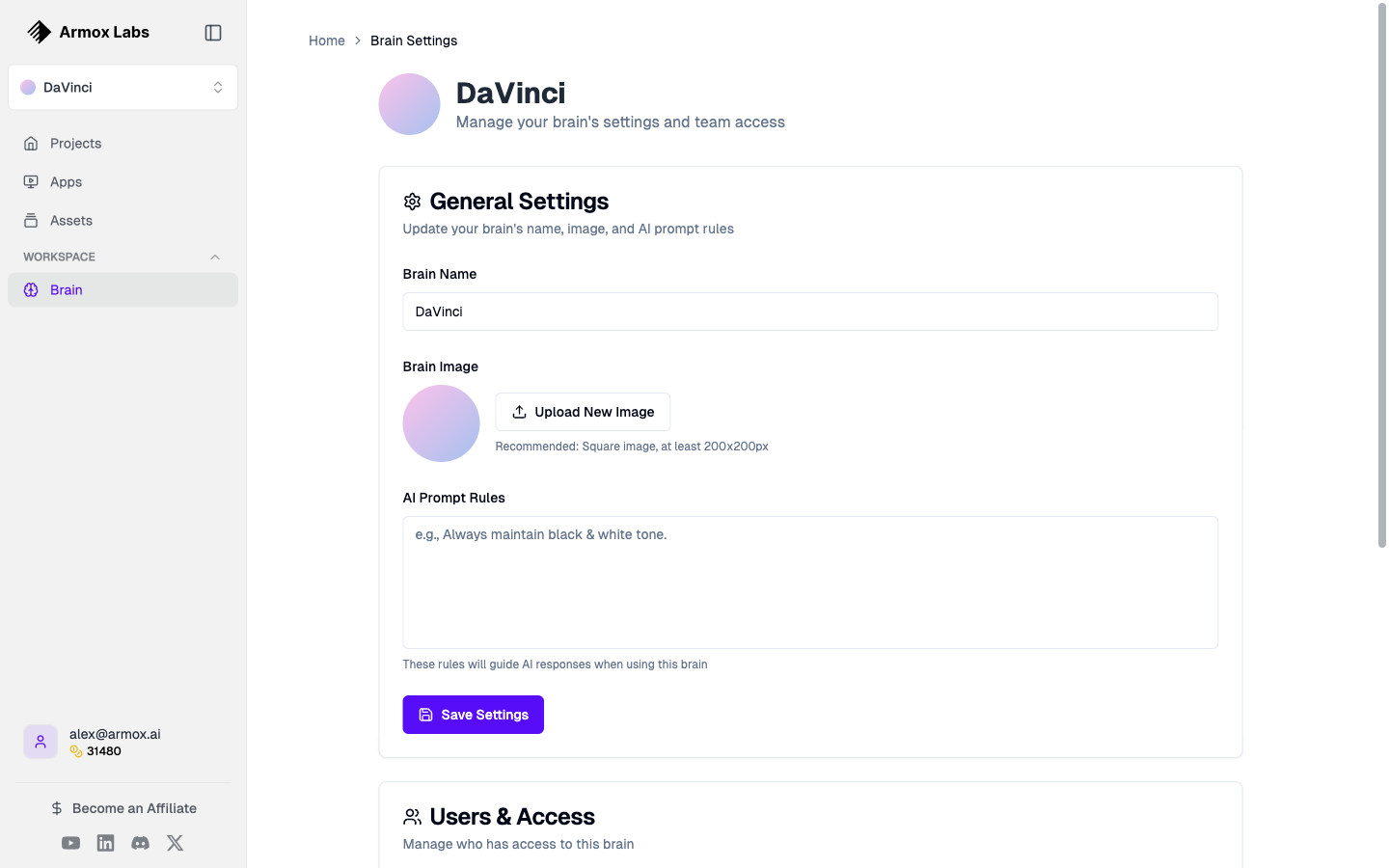
Configure your Brain with company information, brand voice, and team access.
🎨 Canvas
The Canvas is where the magic happens. It's a visual node-based editor where you connect different types of nodes to create content generation workflows.
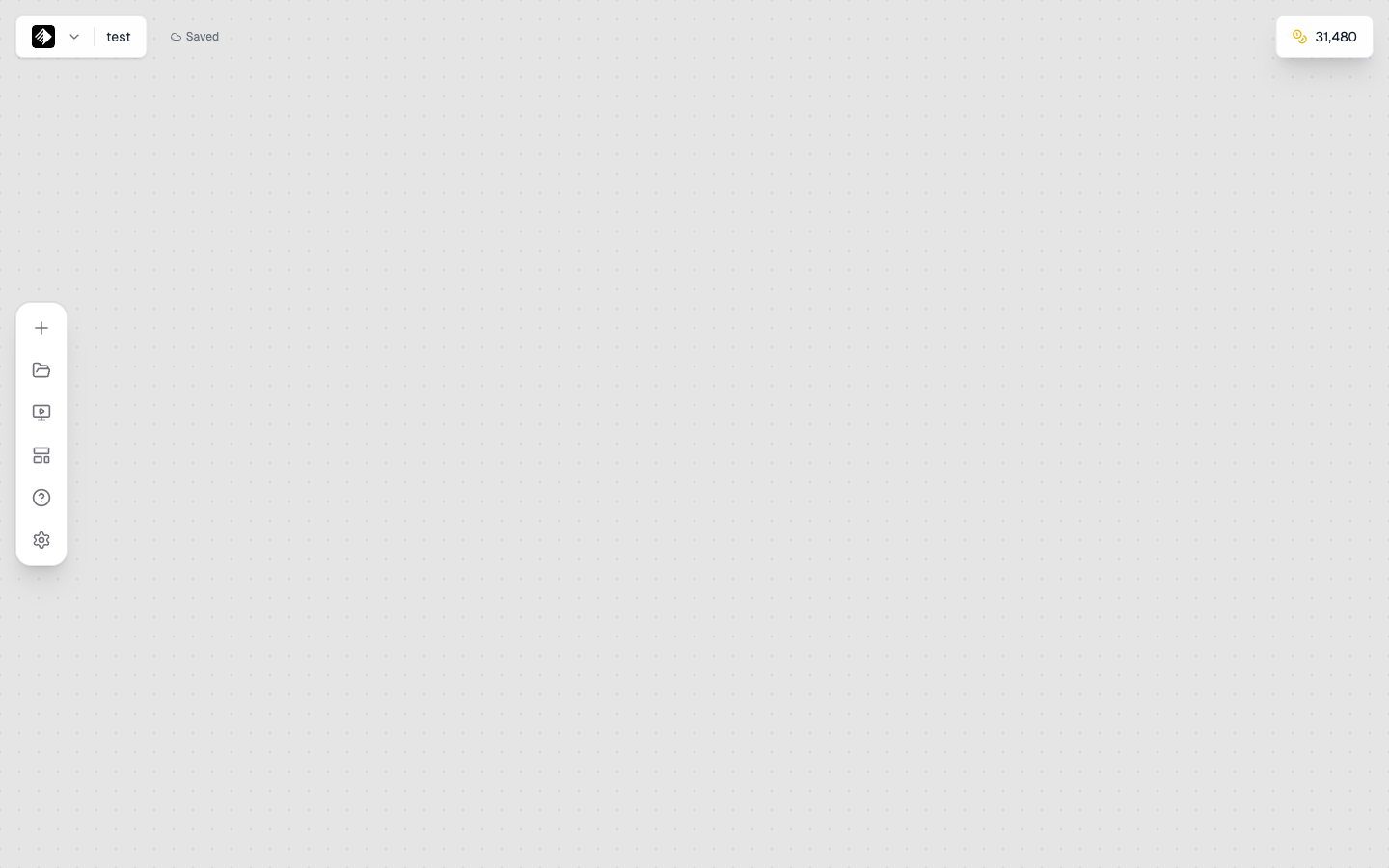
The Canvas editor with the toolbar on the left side for adding nodes.
🔲 Nodes
Nodes are the building blocks of your workflows. Each node has a specific purpose—from text input to AI image generation to video creation.
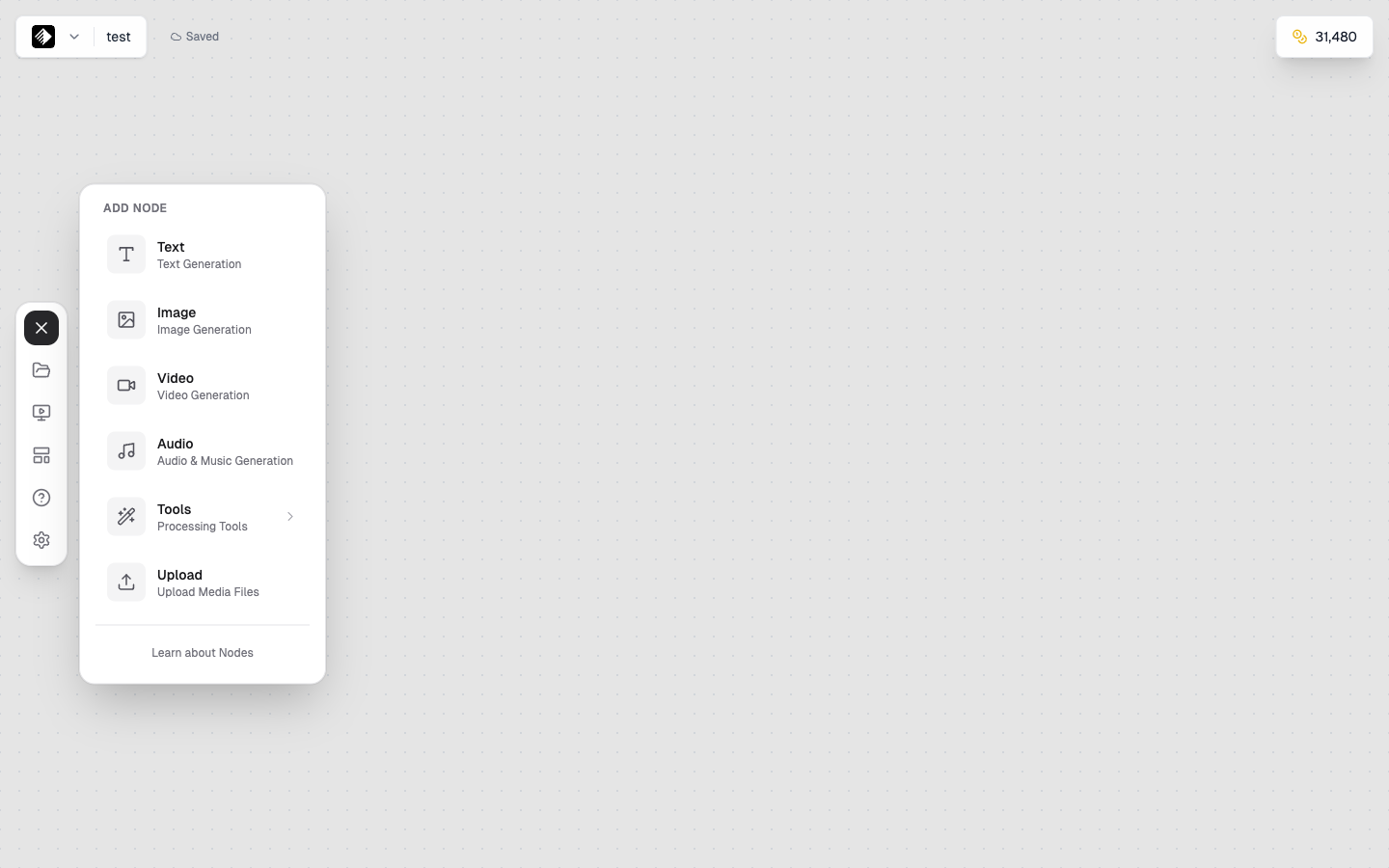
The Add Node panel showing all available node types: Text, Image, Video, Audio, Upload, and Tools.
💰 Credits
Credits are your creative currency. Different AI models consume different amounts of credits based on their capabilities and output quality.
Ready to Begin?
Let's get you creating! Start with our Quickstart Guide to generate your first AI content in under 10 minutes.
Next Steps:
- Quickstart Guide — Generate your first AI image
- Understanding Credits — Learn how the credit system works
- Understanding Brains — Set up your creative command center