
What Is a LoRA? Train a MiniMax H3 Video LoRA
A LoRA (Low-Rank Adaptation) is a small adapter that teaches a large model a new subject, style, or motion while the original model stays frozen. You keep one base model and swap adapters, instead of storing a separate full copy for every look.
Armox uses that method for MiniMax H3 video. The sections below explain the idea, then keep the H3 training setup: the two trainers, the ZIP layout, the settings, and how a finished adapter is used in the Video App and on the canvas.
What is a LoRA?
Low-Rank Adaptation was introduced in 2021 by Hu, Shen, Wallis, Allen-Zhu, Li, Wang, Wang, and Chen. Their paper showed that the useful change, when you adapt a model that already knows a lot, can be described with far fewer numbers than the model itself. Training updates those extra numbers. The pretrained weights stay fixed.
In generative tools, people use the word LoRA for the file that holds that update. It is the machine-learning method from that paper. Search results sometimes also show LoRa, a radio networking standard. This page is about the adapter you train and load.
A prompt can describe a person. Every new generation interprets that description again, so the face, coat, and posture drift. A LoRA moves the look out of the prompt and into a reusable adapter. The prompt can go back to describing the scene.
Image LoRAs in Armox are trained for Flux. Video LoRAs on this page are trained for MiniMax H3. See Train LoRA for the image path.
What a LoRA is used for
A LoRA is usually trained on one concept:
- A character, face, product, or wardrobe that has to stay itself from shot to shot.
- A visual style, such as a film stock, an illustration look, or a brand's lighting.
- A motion habit: how someone walks, how a camera travels, how cloth moves.
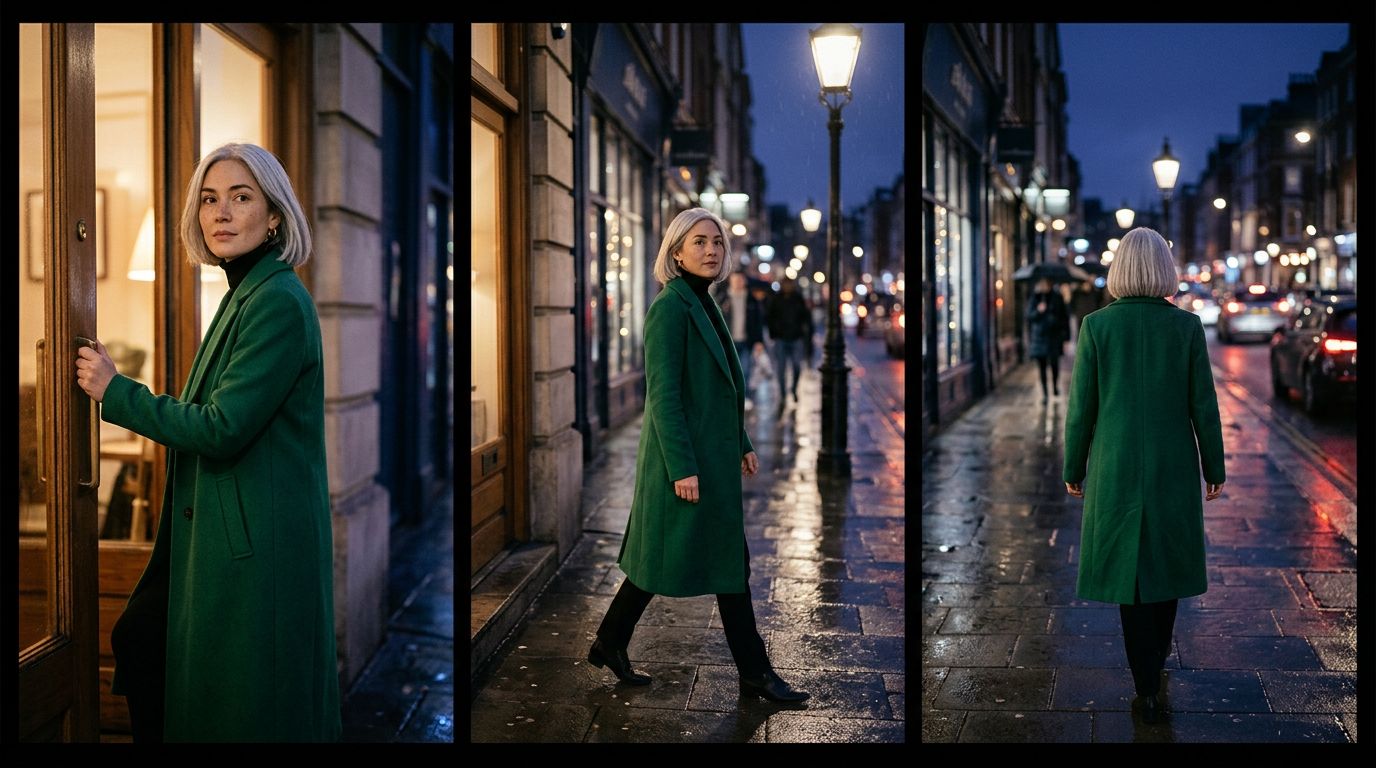
The prints below are the kind of examples you would train on: the same person in ordinary places. The framed still is a new scene. The greenhouse never appears in the prints, and she still does. These pictures explain the idea. They are separate from a finished H3 training run.

The pair below is the same comparison people look for when they ask what a LoRA model does. On the left, the street contains an interchangeable passerby. On the right, the same kind of street contains the trained character.
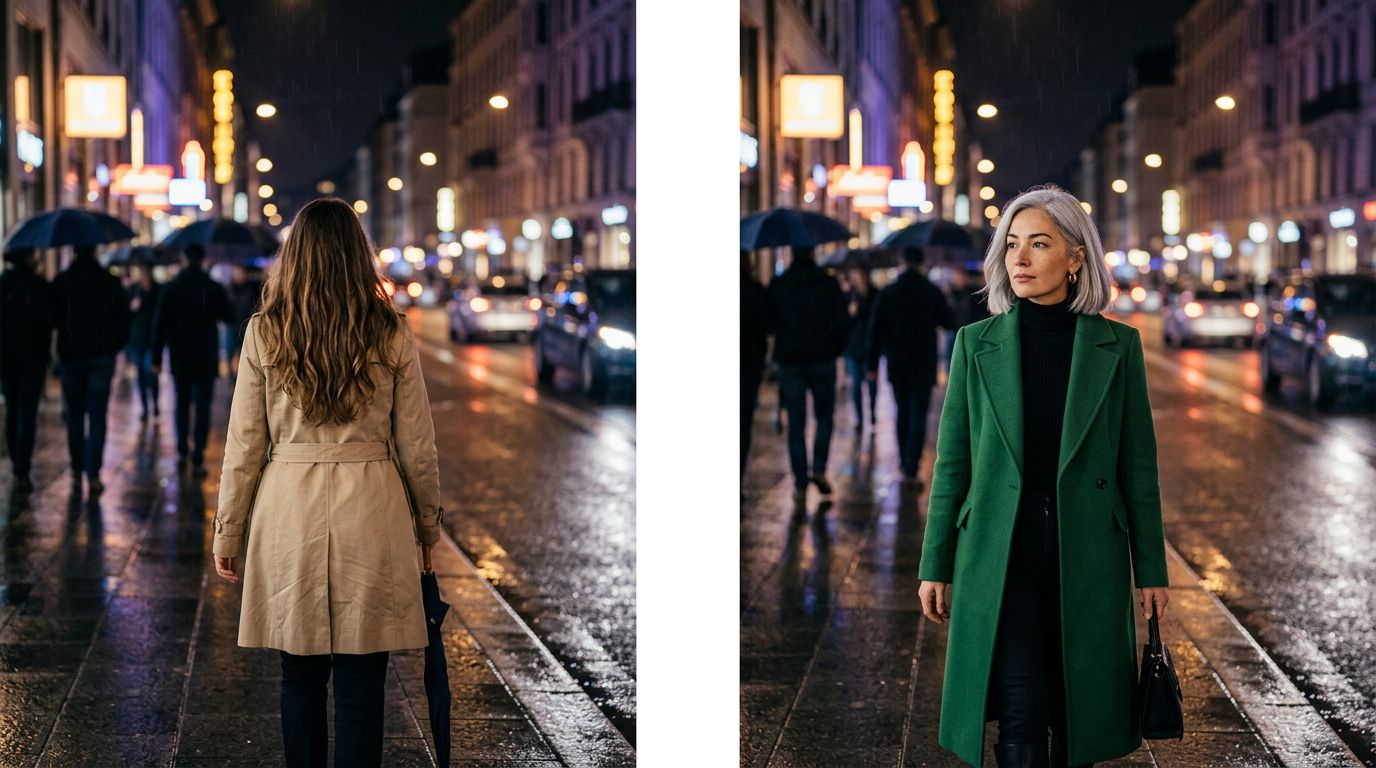
A video LoRA has a further job. The person has to survive motion, not just a single frame. H3 also trains picture and audio together, so the clips you upload teach both how the subject looks and how the shot sounds.
LoRA and full fine-tuning
LoRA is a form of fine-tuning. It is the parameter-efficient version: most of the model is locked, and a thin update is trained on top.
| LoRA | Full fine-tuning | |
|---|---|---|
| Original weights | Frozen | Updated |
| What you store | A small adapter | A full copy of the model |
| How you change looks | Load a different adapter | Swap the whole checkpoint |
| In Armox | An H3 video adapter, or a Flux image adapter | Separate from the Train LoRA flow |
Hu and colleagues reported that, on the language models they tested, this matched full fine-tuning closely while training roughly 10,000 times fewer parameters on GPT-3 175B and using about a third of the GPU memory. A similar score can still come from a different internal solution. Shuttleworth and colleagues measured that gap in 2024. For a character, a style, or a motion on H3, the practical difference is the one in the table: one frozen MiniMax H3, and a library of adapters you can turn on or off.
How a LoRA works
Take one weight matrix inside the model, W. A full update would change every entry in W. LoRA writes the change as the product of two thinner matrices, BA. One matrix squeezes the signal down to r numbers. The other expands it back. The layer then computes the original result plus that small addition.
Rank is r: how many directions of change the adapter is allowed to learn. A rank of 8 is a narrow update, often enough for a broad style. A rank of 32, the Armox default for H3, has more room for a face, clothing, and movement. Ranks of 64 and 128 can hold still more detail, and they can also memorize quirks of the training clips. Style adapters rarely need the top of that range.
The adapter can sit beside the frozen model at generation time, which is what happens when you select a LoRA in Armox. Because the base weights never moved, removing the adapter returns you to ordinary H3 generation.
Trigger phrases, captions, and strength
A trigger phrase is the token that names the new concept. During training, Armox can prepend it to each caption. At generation time you put the same phrase in the prompt.
Choose a token the base model has no habits about. miraq is an empty hook. woman, coat, or cinematic already mean something to H3, so the adapter has to compete with that meaning. If you already wrote the phrase into every caption file, you can leave the Trigger Phrase setting empty so it is applied once.
Captions do the other half of the job. A line such as miraq walking through night rain, emerald coat tells the trainer that the rain and the street are already explained. The adapter can spend its capacity on miraq, the part H3 could not have known. Clips without a caption still train; the trigger phrase then stands in where you set one.
Strength is how hard the adapter pushes at generation time. Start at 1, which is the trained update in full. Strength 0 is the base model with the adapter effectively off. The evaluation steps further down compare those two on the same seed.
Train a MiniMax H3 LoRA in Armox
Armox can train custom video LoRAs for MiniMax H3. Open Train LoRA → New, then choose MiniMax H3 in the Training Model selector. Flux remains available for image LoRAs. H3 weights belong to H3; Flux weights belong to Flux.
Choose your training task
Choose Reference to Video for multimodal guidance. Choose First / Last Frame when you want to animate an opening image, land on an ending image, or control both ends of a shot.
These are the two H3 trainers available in Armox. The choice is saved with the training job, so the library's Use with H3 button opens a matching generation mode.
Prepare your video ZIP
Upload a ZIP archive of video clips. Aim for at least ten clips. Main training samples must be MP4, MOV, AVI, or MKV videos; image-only datasets and mixed image/video training samples are rejected. Images can be reference sidecars for the reference trainer.
Optional captions use the clip's base name:
clip01.mp4
clip01.txt
clip02.mp4
clip02.txt
Reference training accepts ordered sidecars, numbered from 1 through 4. Their extensions identify the modality:
clip01.mp4
clip01.txt
clip01.ref_1.jpg
clip01.ref_2.mp4
clip01.ref_3.wav
Image sidecars accept PNG/JPG/JPEG; video sidecars also support WEBM, and audio sidecars accept WAV, MP3, FLAC, M4A, OGG, or AAC. If sidecars are absent, reference training can condition on a frame from the clip itself. Splitting a long clip into scenes drops its reference sidecars.
Review clips for clean first and last frames, usable audio, and natural motion. Consistent 24 fps clips help match H3's output. Use either the Trigger Phrase setting or a phrase already included in your captions, so it appears once.
Configure training in Armox
Give the LoRA a name and upload the ZIP. Use Configure training and expand Advanced settings to configure:
- Rank: 8, 16, 32, 64, or 128; default 32.
- Training Steps: 1–15,000; default 2,000.
- Learning Rate: default 0.0002.
- Frames per Sample: 22, 39, 56, 73, 90, 107, or 124; default 73.
- Frame Rate: 8–60; default 24.
- Training Resolution: low, medium, or high.
- Aspect Ratio: choose the format for your intended shots.
- Trigger Phrase: optional phrase prepended to captions during training.
Reference training adds Reference Conditioning Probability, default 0.9, and an optional Warm-start LoRA URL. Warm-starting initializes the adapter from previous weights and trains for the requested additional steps with a fresh optimizer and schedule.
First/last-frame training exposes probabilities for first-frame-only, last-frame-only, and both-frame conditioning. Defaults are 0.2, 0.2, and 0.4. Their sum must be at most 1; the remainder trains without frame conditioning.
You can also enable automatic input scaling, scene splitting, a preprocessed dataset download, and strict dataset validation. Strict validation rejects quality fallbacks such as missing captions or unreadable audio.
Training status
Training runs in the background. Return to the LoRA library to check its status. Ready weights and the training configuration are saved to Armox storage; the preprocessed archive is also available if requested.
Generate with your trained LoRA
When the adapter is Ready, select Use with H3. Armox opens the Video App with MiniMax H3, the matching mode, and your weights selected. You can also choose the LoRA under Extra Configuration → LoRA in an H3 canvas node.
Only three modes appear: Image to Video, Reference to Video, and Text to Video. Choosing weights automatically activates LoRA generation for the selected mode. Choose No LoRA to return to standard generation.
Start with a strength of 1. For evaluation, generate several prompts using the same seed at strengths 0 and 1. Keep the prompt, input media, duration, and resolution consistent. Compare the subject, style, motion, and audio across the results rather than expecting identical compositions.
Common questions
What does LoRA do in AI?
A LoRA customizes a frozen model with a small adapter. The original weights stay in place, and the adapter carries a character, style, product, or motion you can load when you generate.
Is LoRA the same as fine-tuning?
LoRA is a parameter-efficient form of fine-tuning. Full fine-tuning updates the original weights and stores a new copy of the model. A LoRA leaves those weights frozen and stores only the small update, so you can swap adapters on one base model.
Can you train a LoRA from video?
Yes. In Armox, MiniMax H3 trains a video LoRA from a ZIP of MP4, MOV, AVI, or MKV clips. Aim for at least ten clips, with clean frames, usable audio, and a consistent 24 fps.
Can you use any LoRA with any model?
No. A LoRA belongs to the model it was trained on. An H3 adapter loads in MiniMax H3, in the generation mode that matches its trainer. A Flux image LoRA stays with Flux.
What is a LoRA trigger phrase?
A trigger phrase is an optional token, such as miraq, prepended to captions during training. Include it in the generation prompt to call the trained concept. An invented token works better than a common word the base model already knows.
What does LoRA rank mean?
Rank is how many directions of change the adapter may learn. Armox offers 8, 16, 32, 64, or 128 for MiniMax H3, and the default is 32. A style often fits a lower rank. A specific face, wardrobe, and way of moving usually wants the default or higher.
References
- Hu, E.J., et al. “LoRA: Low-Rank Adaptation of Large Language Models.” arXiv:2106.09685, 2021.
- MiniMaxAI. “MiniMax-H3.” Hugging Face model card.
- fal. “How to Train a LoRA for MiniMax H3.”
- IBM. “What is LoRA (Low-Rank Adaptation)?”
- Cloudflare. “What is low-rank adaptation (LoRA)?”
- Wikipedia. “LoRA (machine learning).”
- Shuttleworth, R., et al. “LoRA vs Full Fine-tuning: An Illusion of Equivalence.” arXiv:2410.21228, 2024.