Armox Logo
    PreiseAcademyKontakt
    1. AI Architecture
    2. Solutions
    3. Rendering for AutoCAD

    AI Rendering for AutoCAD

    Turn technical drawings and 3D models into photorealistic visualizations. No rendering engine needed.

    Keine Kreditkarte erforderlich2000 kostenlose Credits

    AI Rendering for AutoCAD

    The Challenge With AutoCAD Visualization

    AutoCAD excels at drafting but visualization is limited. Photorealistic results traditionally require exporting to another application.

    • 1Built-in rendering rarely produces client-ready results
    • 2Exporting to 3ds Max or V-Ray adds cost and complexity
    • 3CAD-to-render pipeline requires learning additional software
    • 4Converting 2D to 3D visualizations takes hours of manual work

    How to Render Your AutoCAD Project with Armox

    Technical drawing to photorealistic render in three steps.

    01
    Export from AutoCAD

    Export a 3D view, elevation, or floor plan as PNG/JPEG. Screenshots and 2D drawings also work.

    02
    Upload & Style

    The AI recognizes your drawing. Specify style, materials, and lighting with prompts.

    03
    Get Photorealistic Results

    In seconds, CAD drawing becomes a photorealistic visualization. Download for presentations.

    AutoCAD Drawings Brought to Life

    AutoCAD exports transformed into photorealistic renders.
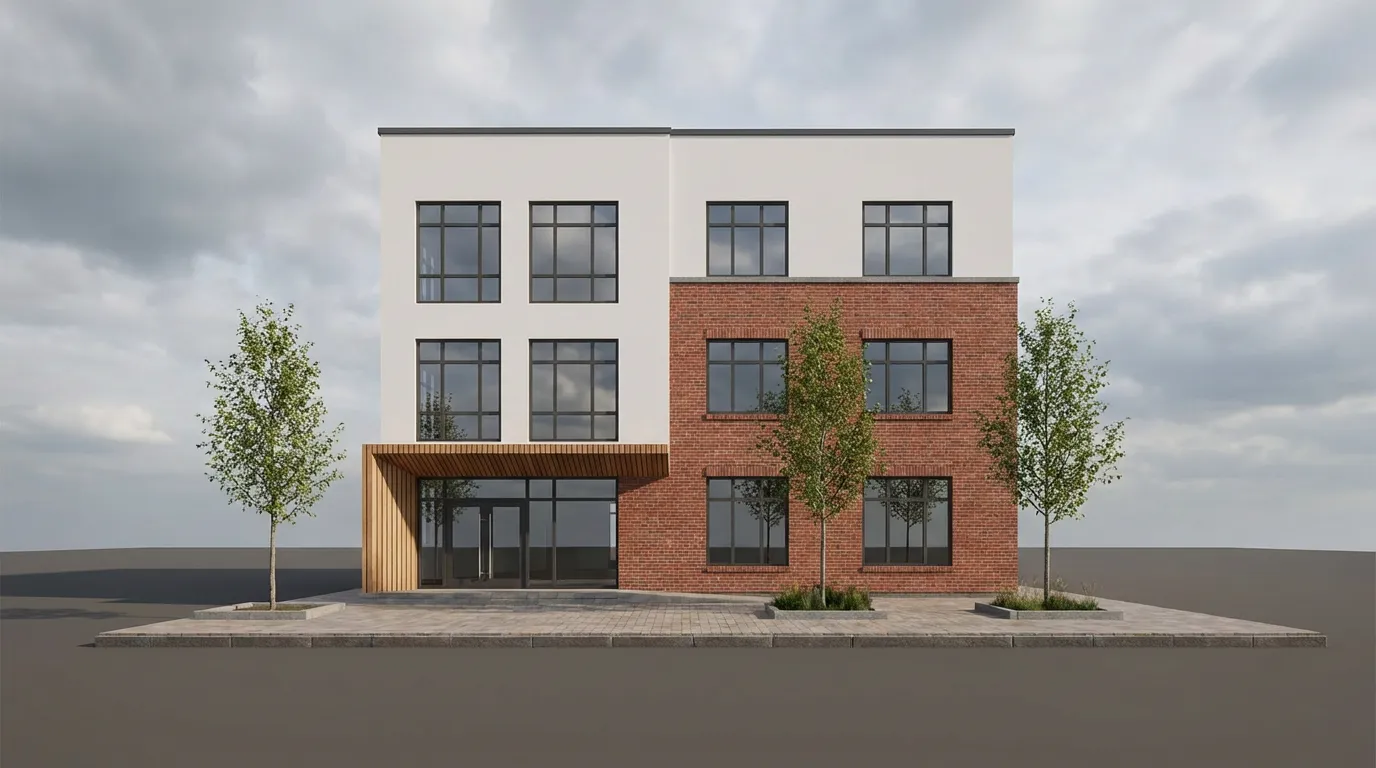
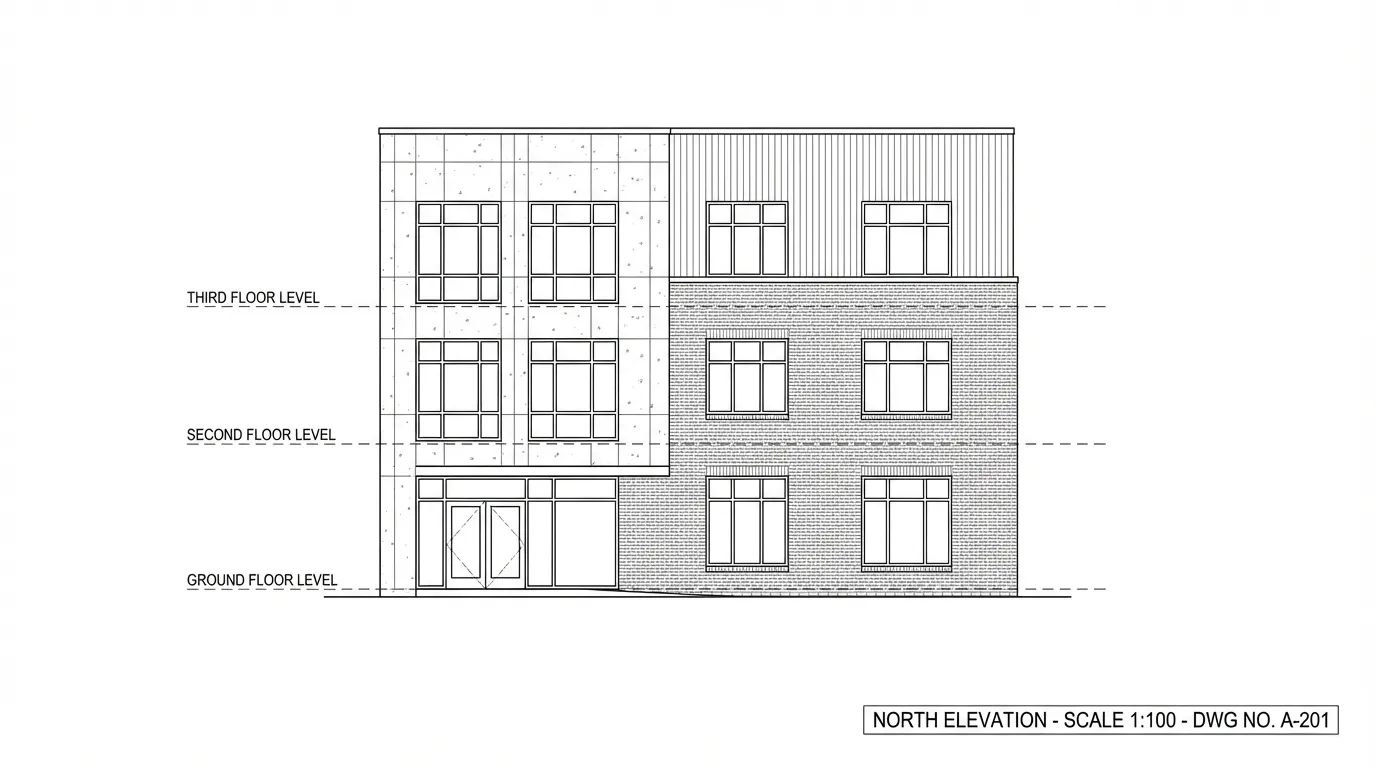
    Elevation to Render
    Elevation to Render

    Front elevation transformed into a photorealistic facade.
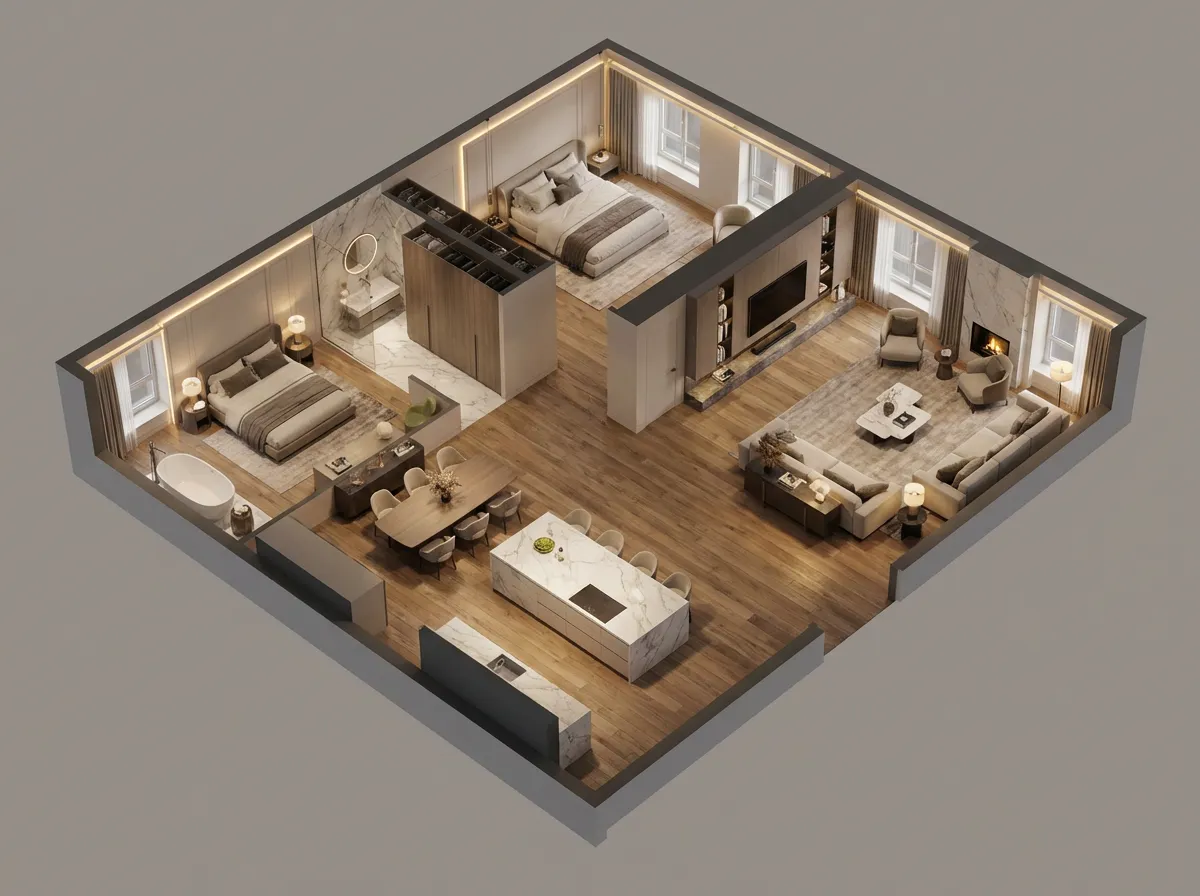
    Floor Plan Visualization
    Floor Plan Visualization

    2D plan rendered as bird's-eye 3D view with furniture.
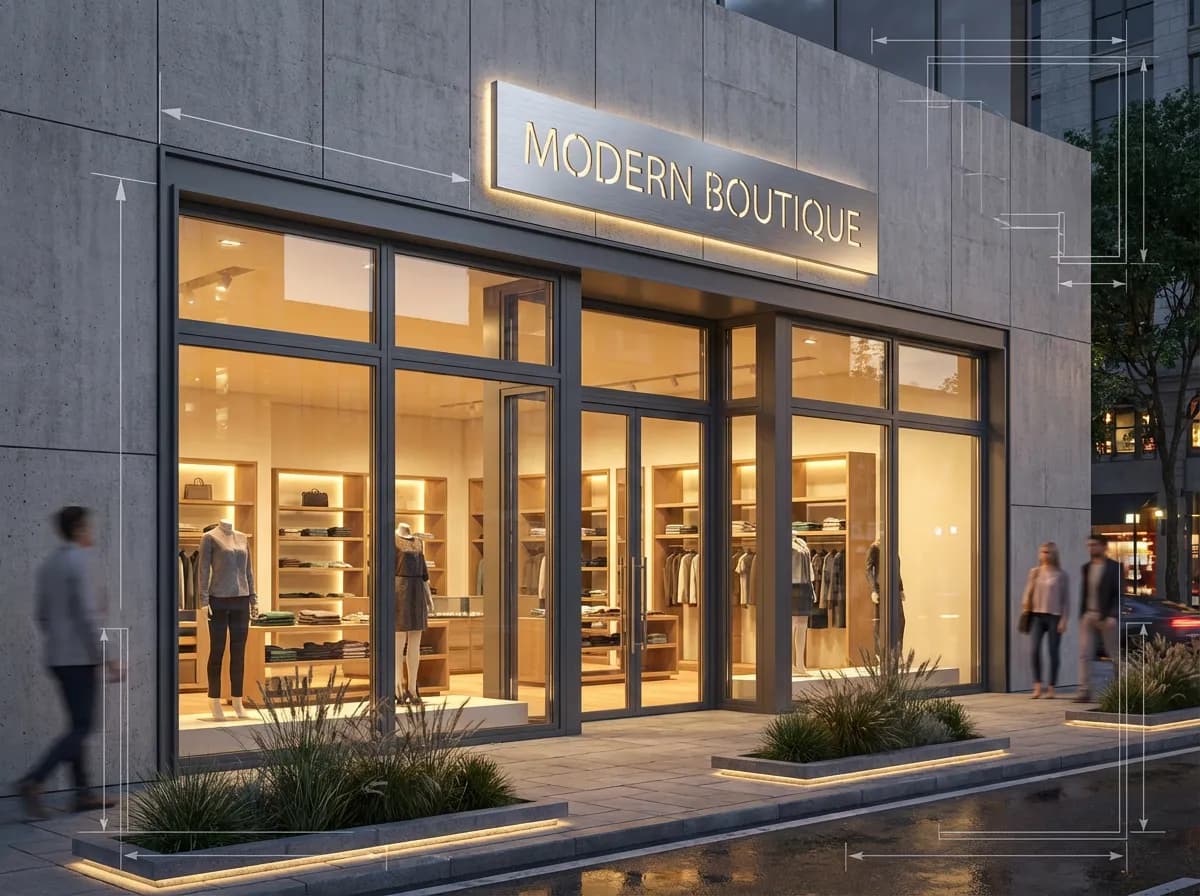
    Retail Storefront
    Retail Storefront

    Commercial facade turned into evening render with warm glow.
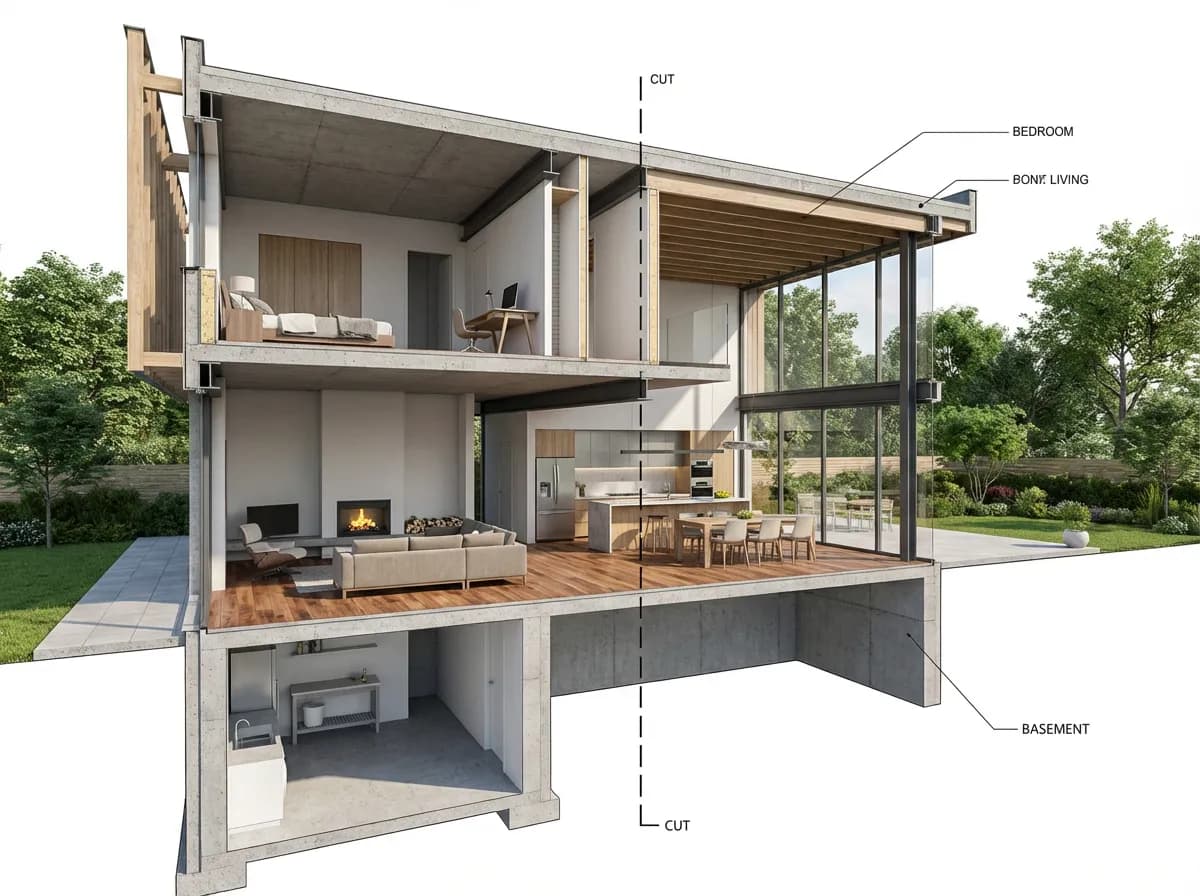
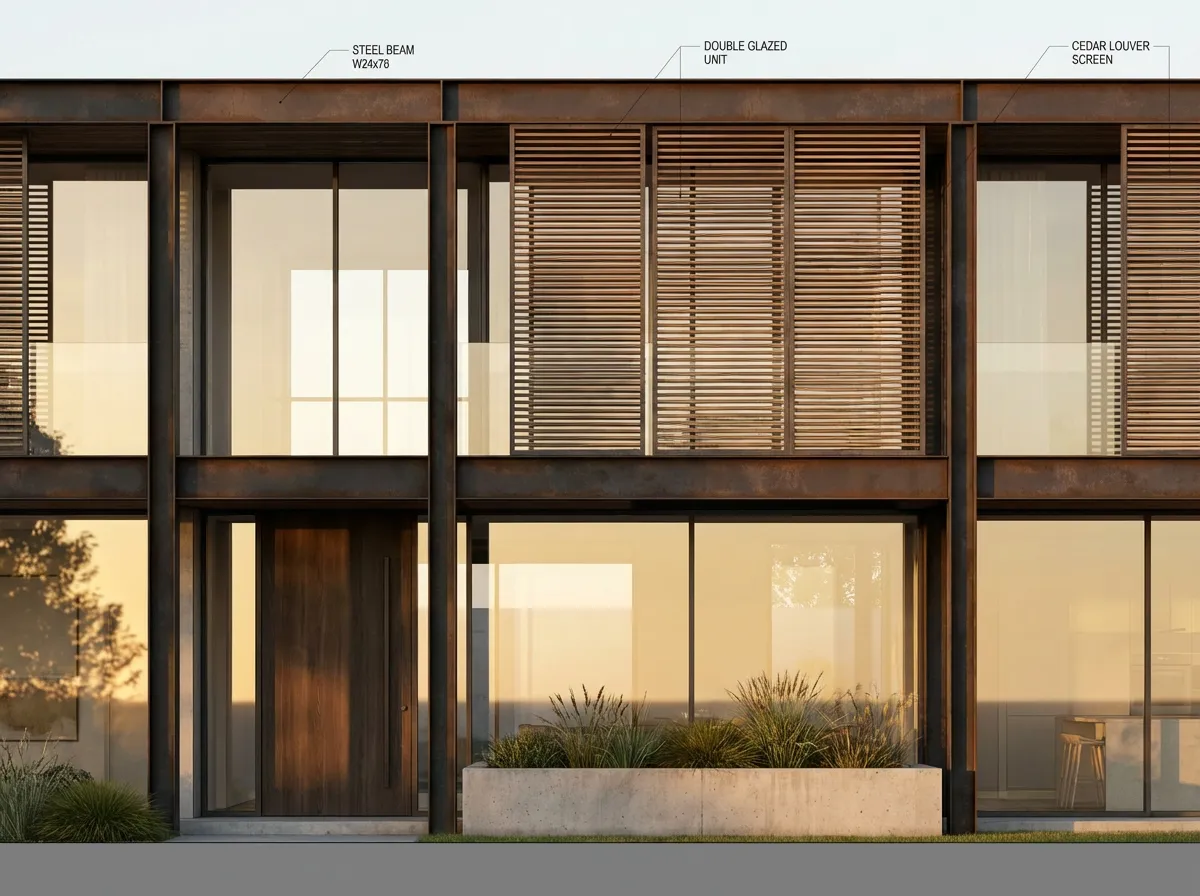
    Section Perspective
    Section Perspective

    Architectural section with visible interiors and materials.

    Armox vs Traditional AutoCAD Pipeline

    Criteria
    Armox AI
    AutoCAD → 3ds Max / V-Ray
    Time to Render
    10–30 seconds
    2–8 hours
    Additional Software
    None
    3ds Max, V-Ray, or similar
    Skill Required
    Upload an image
    Advanced 3D modeling
    Cost
    Free tier available
    $1,000–2,000+/year
    2D Drawing Support
    Renders from 2D directly
    Requires 3D conversion
    Material Mapping
    AI-automatic
    Manual UV mapping

    Complete Your AutoCAD Workflow

    AI Floor Plan GeneratorElevation RenderingAI 3D Rendering

    AutoCAD Rendering

    AI rendering with AutoCAD

    Yes. Armox interprets elevations, plans, and sections, transforming them into photorealistic visualizations with depth and materials.
    Any image — PNG, JPEG, even a screenshot. Wireframe and solid views both work.
    For visualization, yes. Go from AutoCAD to photorealism directly, saving hours.
    Yes. Export 2D views from any AutoCAD version.
    Yes. Upload a 2D plan and get a bird's-eye 3D view with furnishings.

    From CAD to Photorealism

    Upload any AutoCAD drawing. Get a photorealistic render in seconds.

    Keine Kreditkarte erforderlich2000 kostenlose Credits

    Armox Labs OÜ

    The best AI Creative Suite!

    Unternehmen

    • Preise
    • Kontakt
    • Partnerprogramm
    • Blog
    • Datenschutz
    • Nutzungsbedingungen

    Ressourcen

    • Academy
    • Blog
    • Modelle
    • Anwendungsfälle

    Anwendungsfälle

    • KI Architektur
    • KI Tattoo
    • KI Mode
    • KI für Agenturen
    • Bildgenerierung
    • Videogenerierung

    Architektur-Hubs

    • Rendering & Visualisierung
    • Neugestaltung & Transformation
    • Umwelteffekte
    • Virtuelles Staging
    • Bearbeitung & Optimierung
    • Video & Animation
    • Spezialansichten & Formate
    • Lösungen
    • Alternativen

    Funktionen

    • KI-Rendering-Generator
    • KI-Stiltransfer
    • Render-Enhancer
    • KI-Render-Enhancer
    • 3D-Rendering mit KI

    Konzeptgeneratoren

    • KI-Architektur-Generator
    • KI-Raumgenerator
    • KI-Küchendesign
    • KI-Hausfassaden-Design
    • Generator für Innenraum-Farbpaletten
    • KI-Texturgenerator

    Kompatibilität

    • Render für SketchUp
    • Rendering für ArchiCAD
    • Rendering für Revit
    • Render für Rhino
    • Rendering für AutoCAD
    • Render für Blender
    Ask your AI about Armox
    ChatGPTClaudeGrokPerplexity

    © 2026 Armox Labs OÜ Alle Rechte vorbehalten.