Armox Logo
    PreiseAcademyKontakt
    1. AI Architecture
    2. Solutions
    3. Rendering for ArchiCAD

    AI-Powered Rendering for ArchiCAD

    Skip CineRender wait times. Upload your ArchiCAD view and get photorealistic visualization in seconds.

    Keine Kreditkarte erforderlich2000 kostenlose Credits

    AI-Powered Rendering for ArchiCAD

    The Challenge With ArchiCAD Rendering

    CineRender produces decent results but slowly. External rendering options require complex export workflows.

    • 1CineRender takes 20–60+ minutes per high-quality image
    • 2Third-party plugins add cost on top of ArchiCAD license
    • 3Exporting to V-Ray or Lumion means format conversion and data loss
    • 4CineRender's material library needs customization for modern looks

    How to Render Your ArchiCAD Project with Armox

    BIM model to photorealism in three effortless steps.

    01
    Export from ArchiCAD

    Navigate to a 3D view and export as PNG or JPEG. Any visual style works.

    02
    Upload & Customize

    Choose styles, specify lighting (Mediterranean sun, Nordic overcast), guide materials with prompts.

    03
    Receive Your Render

    Photorealistic render in 10–30 seconds. Download for presentations.

    ArchiCAD Projects in Photorealistic Quality

    ArchiCAD BIM models as stunning visualizations.

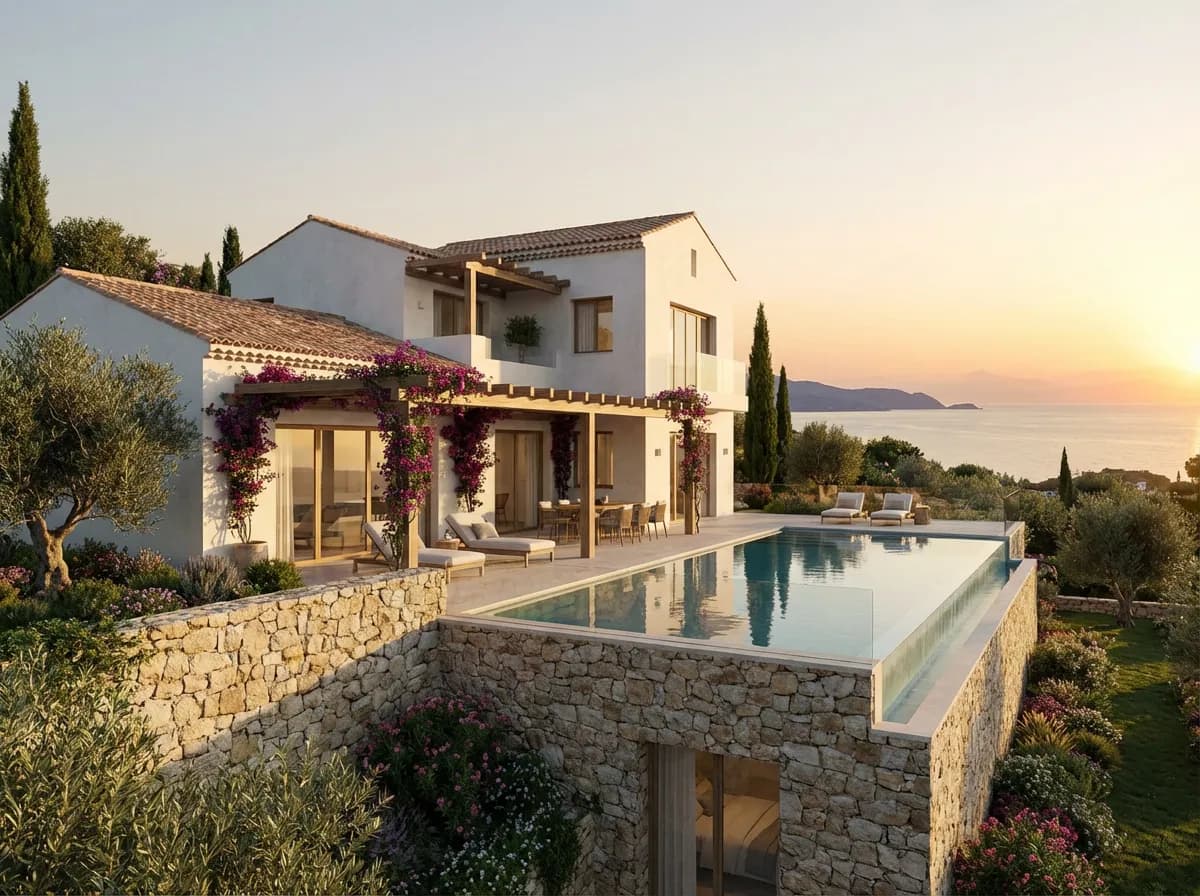
    Mediterranean Villa
    Mediterranean Villa

    White plaster, natural stone, and Mediterranean landscape.

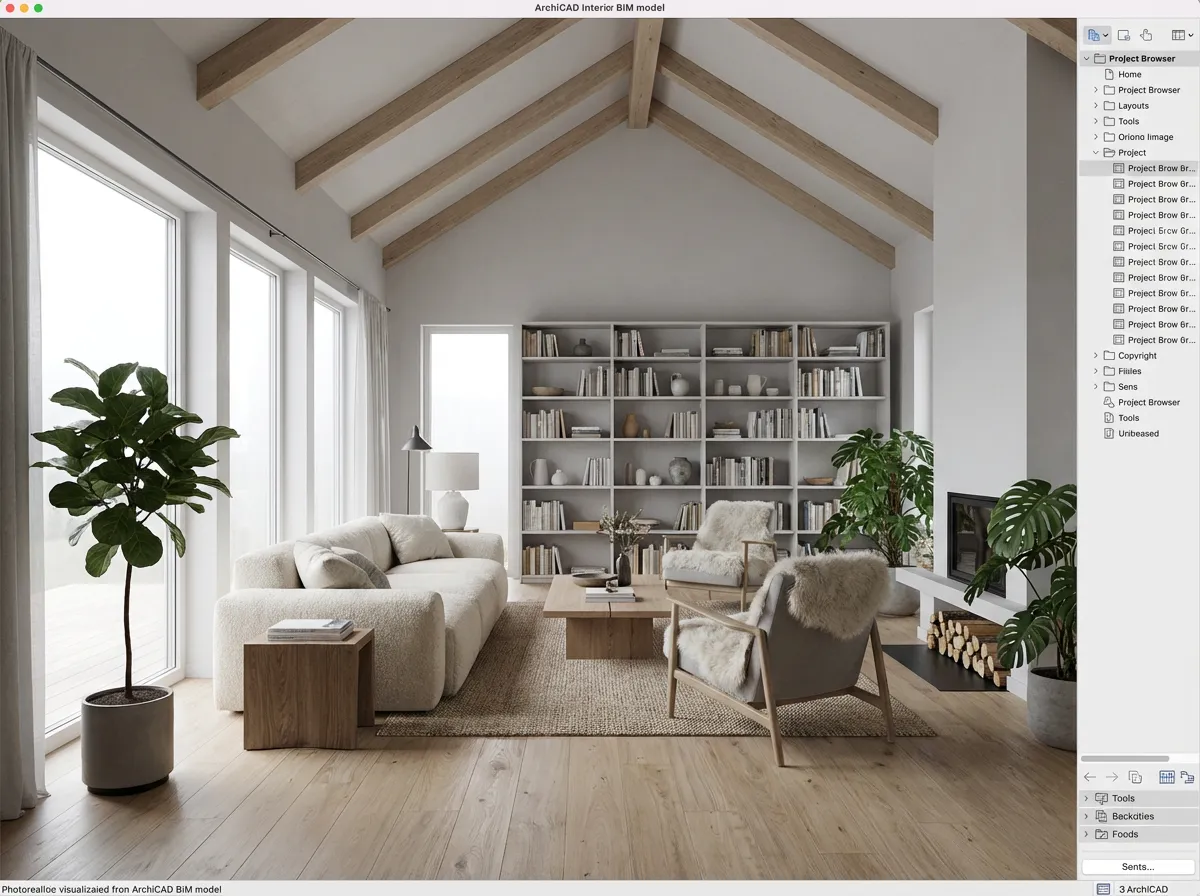
    Scandinavian Interior
    Scandinavian Interior

    Timber beams, oak floors, and minimalist furniture in Nordic light.

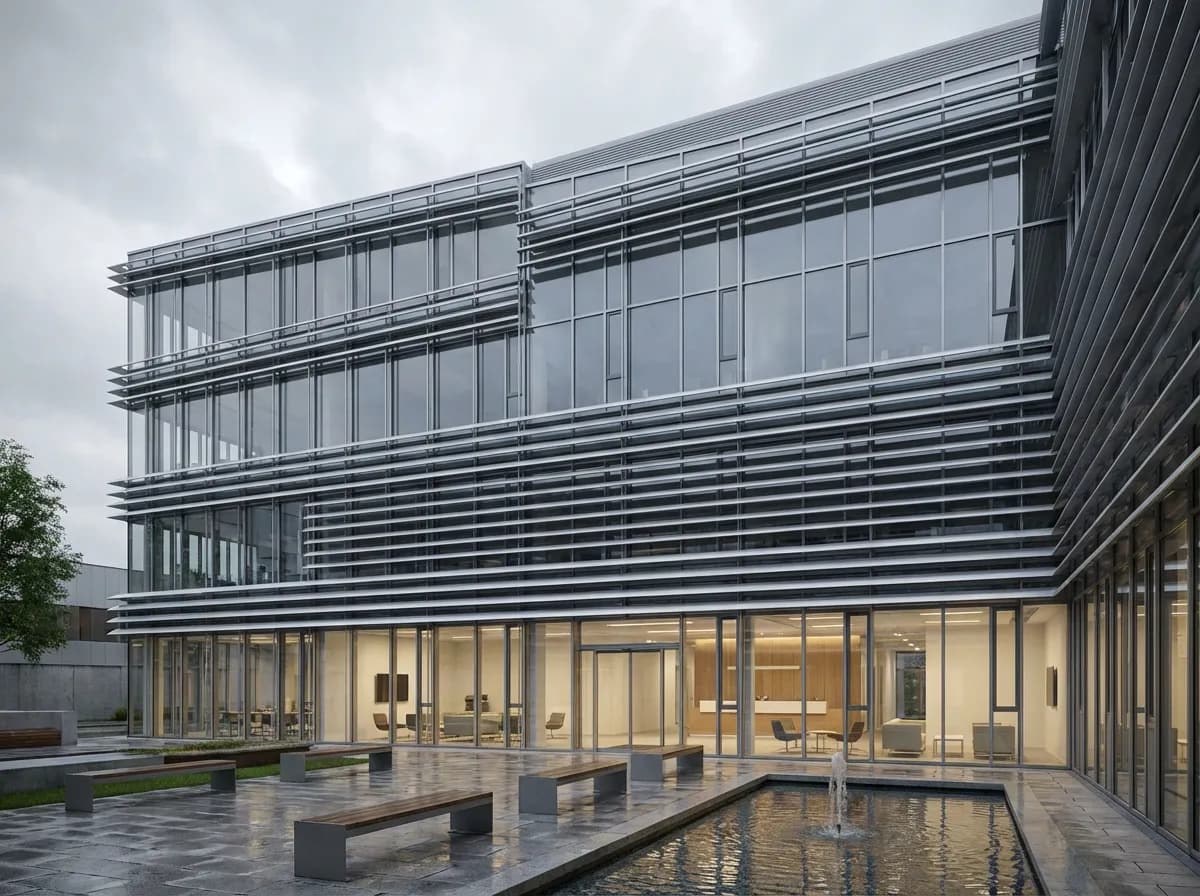
    Commercial Office
    Commercial Office

    Curtain wall facade with landscaped courtyard.

    Cultural Center
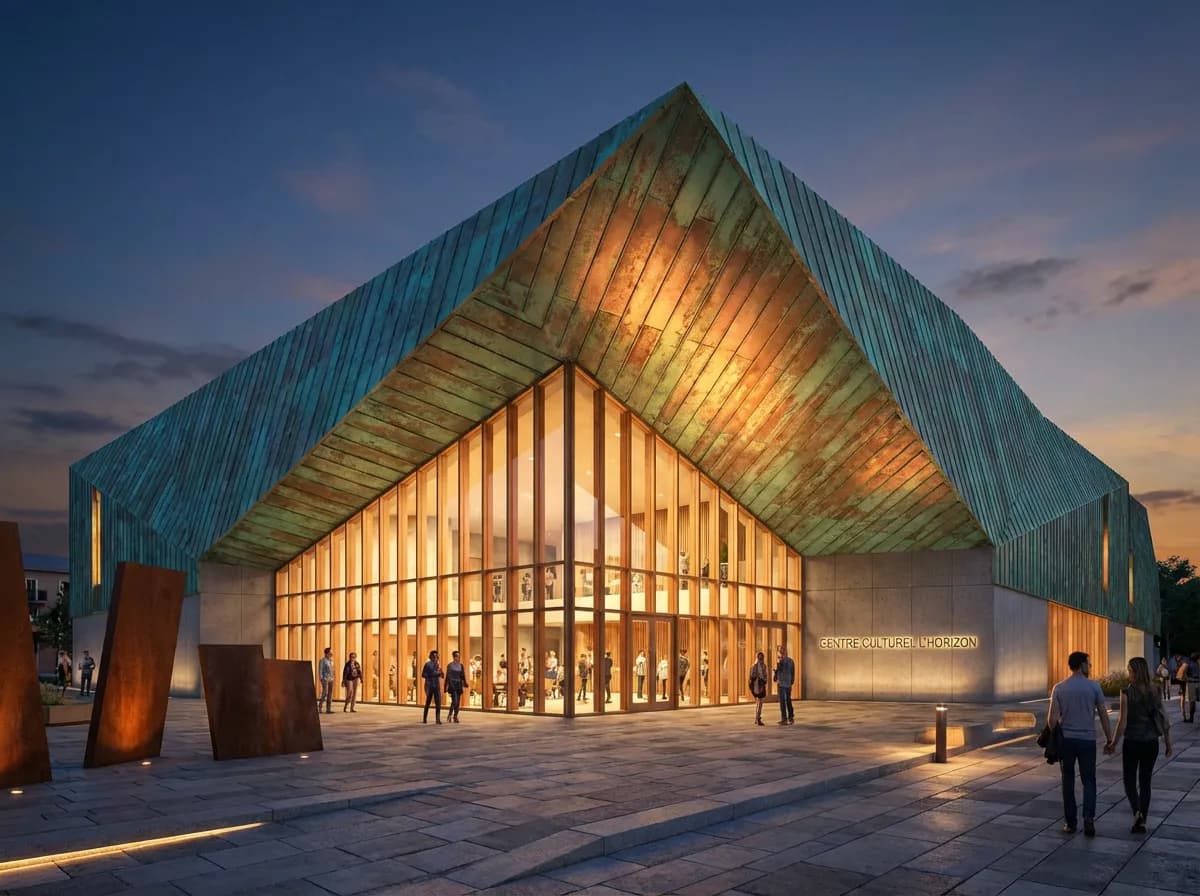
    Cultural Center

    Dramatic folded copper roof with glass entrance.

    Armox vs CineRender

    Criteria
    Armox AI
    ArchiCAD CineRender
    Render Time
    10–30 seconds
    20–60+ minutes
    Quality
    Photorealistic, AI-enhanced
    Good (with setup)
    Material Setup
    AI-automatic
    Manual editor
    Hardware Impact
    None — cloud
    Maxes out CPU
    Additional Cost
    Free tier available
    Included but slow; plugins extra
    Lighting Setup
    AI-automatic from prompts
    Manual sun/HDRI/lights

    Complete Your ArchiCAD Workflow

    AI 3D RenderingArchitectural VisualizationRendering for Revit

    ArchiCAD Rendering

    AI rendering with ArchiCAD

    For speed, dramatically (seconds vs 20–60 min). Quality is comparable without manual setup.
    Export your 3D view as PNG/JPEG, then upload. Takes under a minute.
    Capture views from BIMx and upload them. Best results from ArchiCAD's 3D window.
    Yes. Even basic surface colors are recognized and enhanced to photorealistic equivalents.
    Absolutely. Use Armox for fast iterations and CineRender for specific final images.

    Render ArchiCAD Projects in Seconds

    No CineRender wait. Export, upload, photorealism.

    Keine Kreditkarte erforderlich2000 kostenlose Credits

    Armox Labs OÜ

    The best AI Creative Suite!

    Unternehmen

    • Preise
    • Kontakt
    • Partnerprogramm
    • Blog
    • Datenschutz
    • Nutzungsbedingungen

    Ressourcen

    • Academy
    • Blog
    • Modelle
    • Anwendungsfälle

    Anwendungsfälle

    • KI Architektur
    • KI Tattoo
    • KI Mode
    • KI für Agenturen
    • Bildgenerierung
    • Videogenerierung

    Architektur-Hubs

    • Rendering & Visualisierung
    • Neugestaltung & Transformation
    • Umwelteffekte
    • Virtuelles Staging
    • Bearbeitung & Optimierung
    • Video & Animation
    • Spezialansichten & Formate
    • Lösungen
    • Alternativen

    Funktionen

    • KI-Rendering-Generator
    • KI-Stiltransfer
    • Render-Enhancer
    • KI-Render-Enhancer
    • 3D-Rendering mit KI

    Konzeptgeneratoren

    • KI-Architektur-Generator
    • KI-Raumgenerator
    • KI-Küchendesign
    • KI-Hausfassaden-Design
    • Generator für Innenraum-Farbpaletten
    • KI-Texturgenerator

    Kompatibilität

    • Render für SketchUp
    • Rendering für ArchiCAD
    • Rendering für Revit
    • Render für Rhino
    • Rendering für AutoCAD
    • Render für Blender
    Ask your AI about Armox
    ChatGPTClaudeGrokPerplexity

    © 2026 Armox Labs OÜ Alle Rechte vorbehalten.




