Armox Logo
    الأسعارالأكاديميةاتصل بنا
    تسجيل الدخول
    1. AI Architecture
    2. Solutions
    3. Rendering for ArchiCAD

    AI-Powered Rendering for ArchiCAD

    Skip CineRender wait times. Upload your ArchiCAD view and get photorealistic visualization in seconds.

    No credit card required1000 free credits

    AI-Powered Rendering for ArchiCAD

    موثوق به من قبل أكثر من 25000 مبدع
    L35 Arquitectura
    SNKH Studio
    Creaxia 63
    Founderz AI Business School
    Cornell University
    4A Architectes
    Team2 Architects
    L35 Arquitectura
    SNKH Studio
    Creaxia 63
    Founderz AI Business School
    Cornell University
    4A Architectes
    Team2 Architects
    L35 Arquitectura
    SNKH Studio
    Creaxia 63
    Founderz AI Business School
    Cornell University
    4A Architectes
    Team2 Architects
    L35 Arquitectura
    SNKH Studio
    Creaxia 63
    Founderz AI Business School
    Cornell University
    4A Architectes
    Team2 Architects

    The Challenge With ArchiCAD Rendering

    CineRender produces decent results but slowly. External rendering options require complex export workflows.

    • 1CineRender takes 20–60+ minutes per high-quality image
    • 2Third-party plugins add cost on top of ArchiCAD license
    • 3Exporting to V-Ray or Lumion means format conversion and data loss
    • 4CineRender's material library needs customization for modern looks

    How to Render Your ArchiCAD Project with Armox

    BIM model to photorealism in three effortless steps.

    01
    Export from ArchiCAD

    Navigate to a 3D view and export as PNG or JPEG. Any visual style works.

    02
    Upload & Customize

    Choose styles, specify lighting (Mediterranean sun, Nordic overcast), guide materials with prompts.

    03
    Receive Your Render

    Photorealistic render in 10–30 seconds. Download for presentations.

    ArchiCAD Projects in Photorealistic Quality

    ArchiCAD BIM models as stunning visualizations.

    Mediterranean Villa
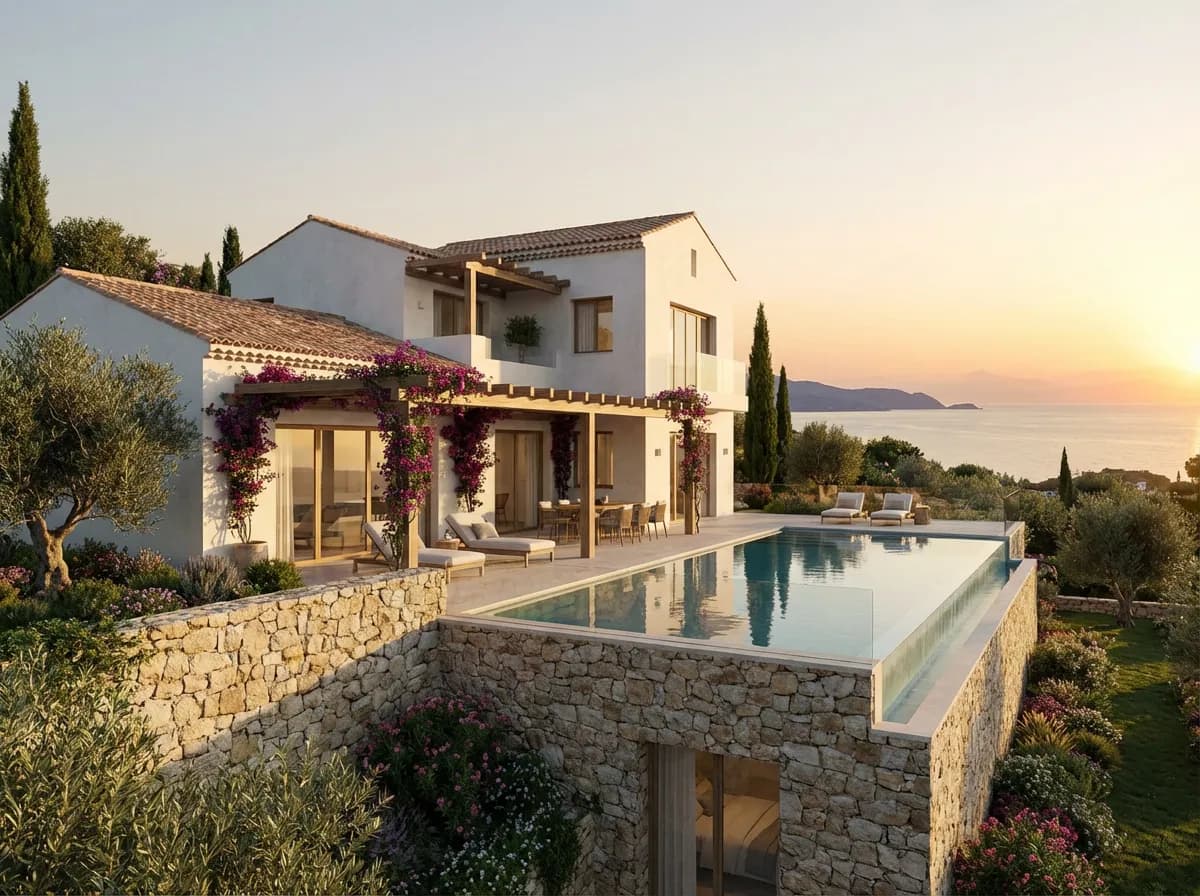
    Mediterranean Villa

    White plaster, natural stone, and Mediterranean landscape.

    Scandinavian Interior
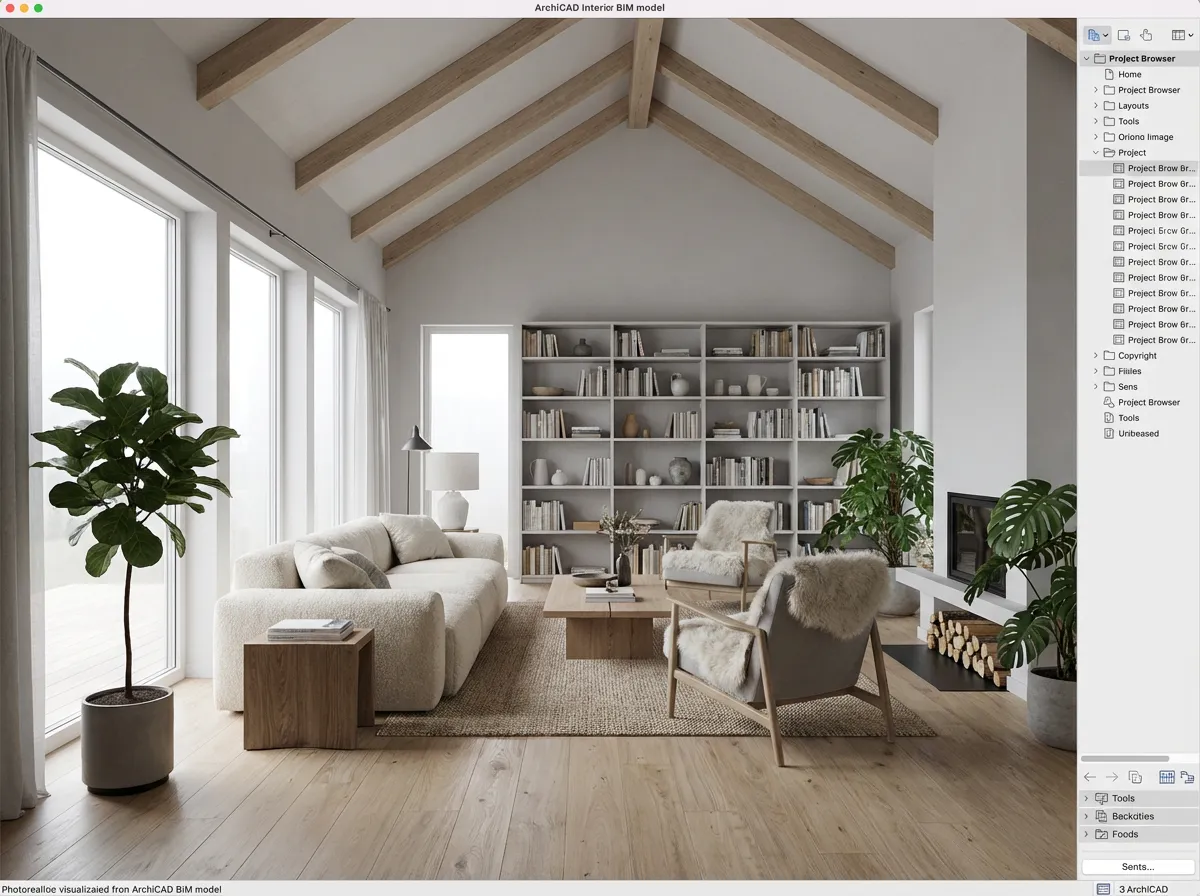
    Scandinavian Interior

    Timber beams, oak floors, and minimalist furniture in Nordic light.

    Commercial Office
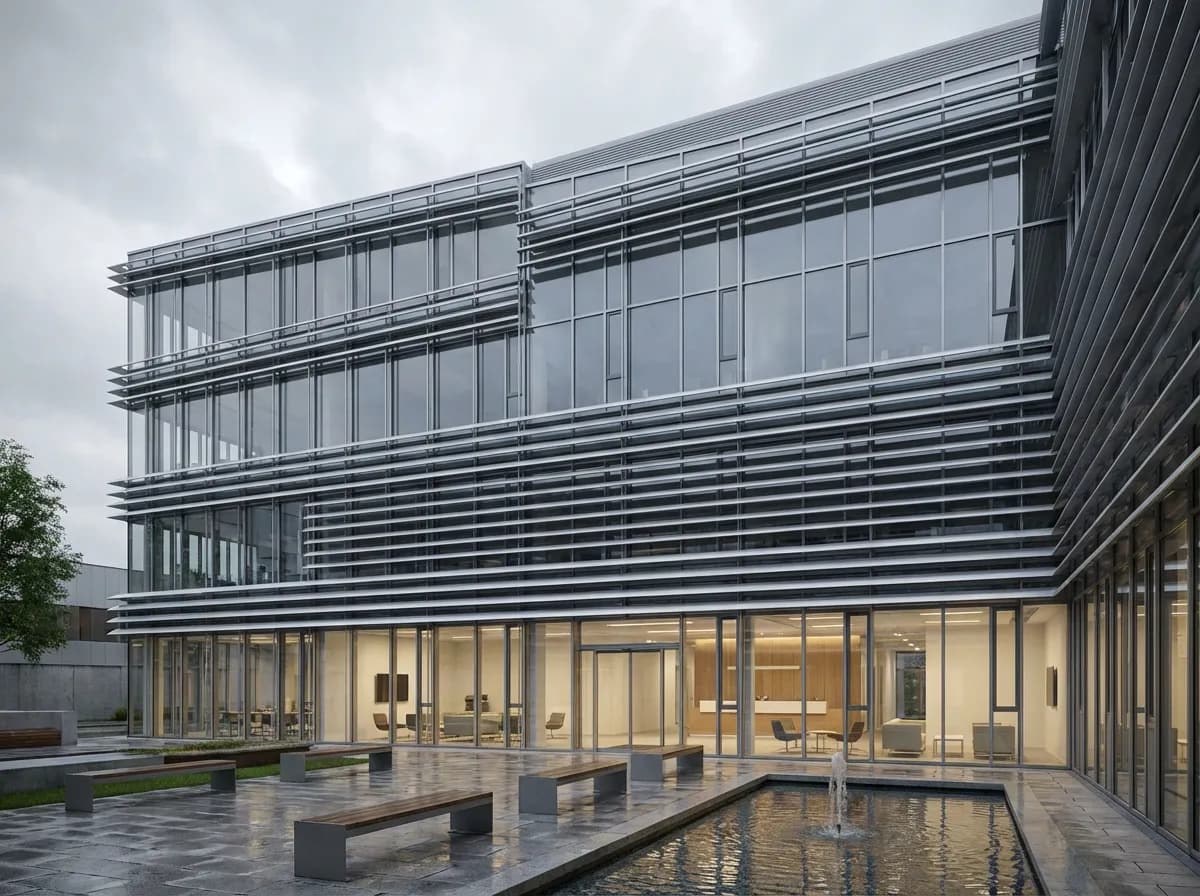
    Commercial Office

    Curtain wall facade with landscaped courtyard.

    Cultural Center
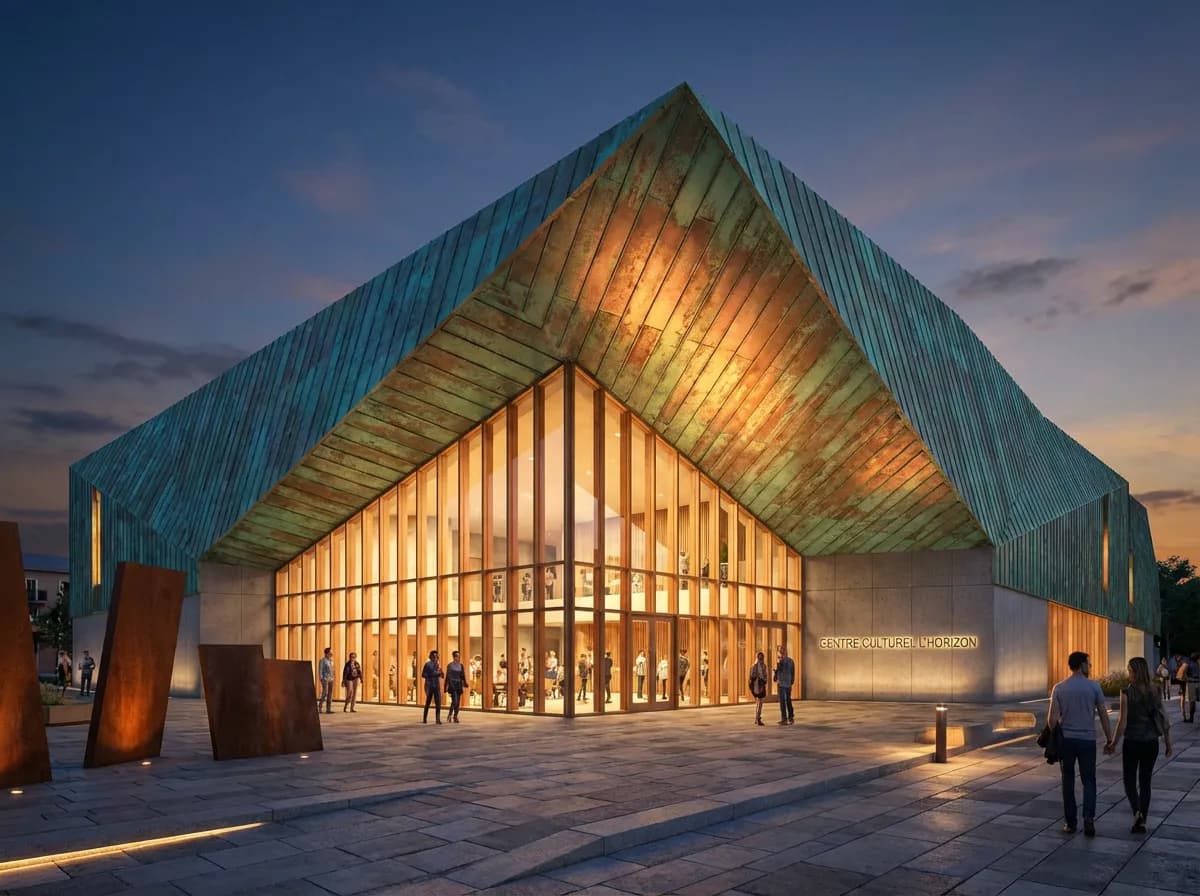
    Cultural Center

    Dramatic folded copper roof with glass entrance.

    Armox vs CineRender

    Criteria
    Armox AI
    ArchiCAD CineRender
    Render Time
    10–30 seconds
    20–60+ minutes
    Quality
    Photorealistic, AI-enhanced
    Good (with setup)
    Material Setup
    AI-automatic
    Manual editor
    Hardware Impact
    None — cloud
    Maxes out CPU
    Additional Cost
    Free tier available
    Included but slow; plugins extra
    Lighting Setup
    AI-automatic from prompts
    Manual sun/HDRI/lights

    Complete Your ArchiCAD Workflow

    AI 3D RenderingArchitectural VisualizationRendering for Revit

    Frequently Asked Questions

    AI rendering with ArchiCAD

    For speed, dramatically (seconds vs 20–60 min). Quality is comparable without manual setup.
    Export your 3D view as PNG/JPEG, then upload. Takes under a minute.
    Capture views from BIMx and upload them. Best results from ArchiCAD's 3D window.
    Yes. Even basic surface colors are recognized and enhanced to photorealistic equivalents.
    Absolutely. Use Armox for fast iterations and CineRender for specific final images.
    Yes. Generate multiple style and lighting options from the same ArchiCAD view in minutes, which is ideal for client reviews and decision-making.

    Render ArchiCAD Projects in Seconds

    No CineRender wait. Export, upload, photorealism.

    No credit card required1000 free credits

    Armox Labs OÜ

    The best AI Creative Suite!

    الشركة

    • الأسعار
    • اتصل بنا
    • برنامج الشراكة
    • المدونة
    • سياسة الخصوصية
    • شروط الخدمة

    الموارد

    • الأكاديمية
    • المدونة
    • النماذج
    • حالات الاستخدام

    حالات الاستخدام

    • تصيير معماري بالذكاء الاصطناعي
    • AI Filmmaking
    • AI Storyboard
    • Fashion AI
    • AI for Marketing
    • AI Ads Generator
    • AI for Ecommerce
    • AI Product Photography
    • تجربة الوشم
    • ذكاء اصطناعي للوكالات

    التطبيقات

    • مولّد صور بالذكاء الاصطناعي
    • مولّد فيديو بالذكاء الاصطناعي
    • محرر صور بالذكاء الاصطناعي
    • تحويل الصورة إلى فيديو
    • إزالة الخلفية بالذكاء الاصطناعي
    • تحسين الصور بالذكاء الاصطناعي
    • مولّد نماذج ثلاثية الأبعاد
    • تحويل النص إلى صورة
    • مولّد بانرات LinkedIn
    • أدوات إبداعية بالذكاء الاصطناعي

    بدائل إبداعية

    • بديل Midjourney
    • بديل Runway
    • بديل Adobe Firefly
    • بديل Leonardo AI

    محاور العمارة

    • التصيير والتصور البصري
    • إعادة التصميم والتحويل
    • التأثيرات البيئية
    • التأثيث الافتراضي
    • التحرير والتحسين
    • الفيديو والتحريك
    • عروض وتنسيقات خاصة
    • الحلول
    • البدائل

    مولدات المفاهيم

    • مولد عمارة بالذكاء الاصطناعي
    • مولد غرف بالذكاء الاصطناعي
    • مولد المخططات بالذكاء الاصطناعي
    • تصميم مطابخ بالذكاء الاصطناعي
    • تصميم الواجهات الخارجية للمنازل بالذكاء الاصطناعي
    • مولد لوحات ألوان داخلية
    • مولد الخامات بالذكاء الاصطناعي
    • مولّد خامات PBR بالذكاء الاصطناعي

    التوافق

    • التصيير لـ SketchUp
    • التصيير لـ ArchiCAD
    • التصيير لـ Revit
    • التصيير لـ Rhino
    • التصيير لـ AutoCAD
    • التصيير لـ Blender
    Ask your AI about Armox
    ChatGPTClaudeGrokPerplexity

    © 2026 جميع الحقوق محفوظة. جزء من Armox Labs OÜ